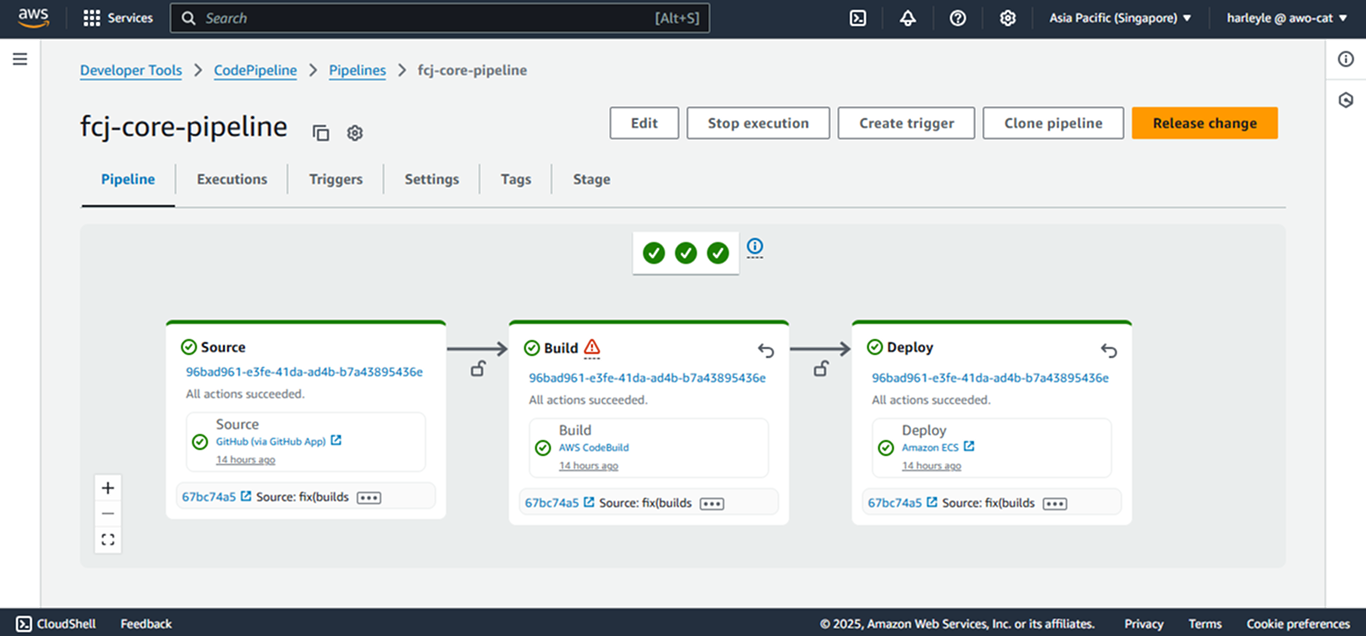
Add Permissions to CodeBuild Service Role
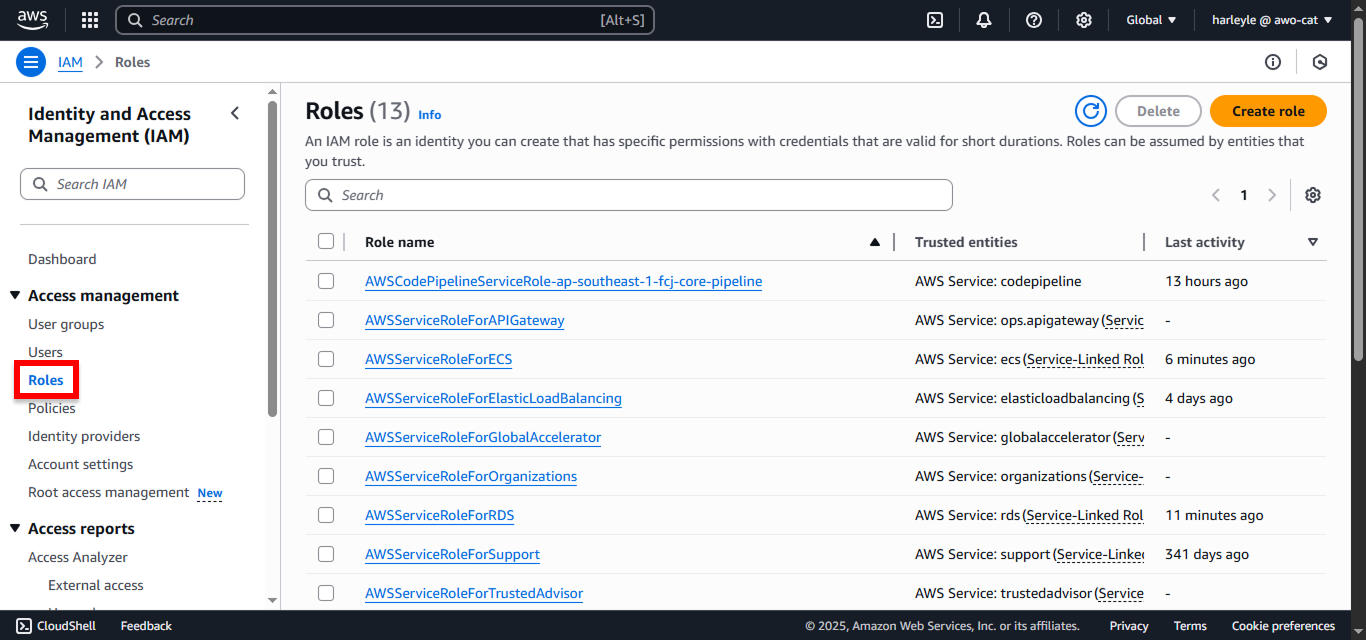
1. Navigate to the IAM console and select Roles.
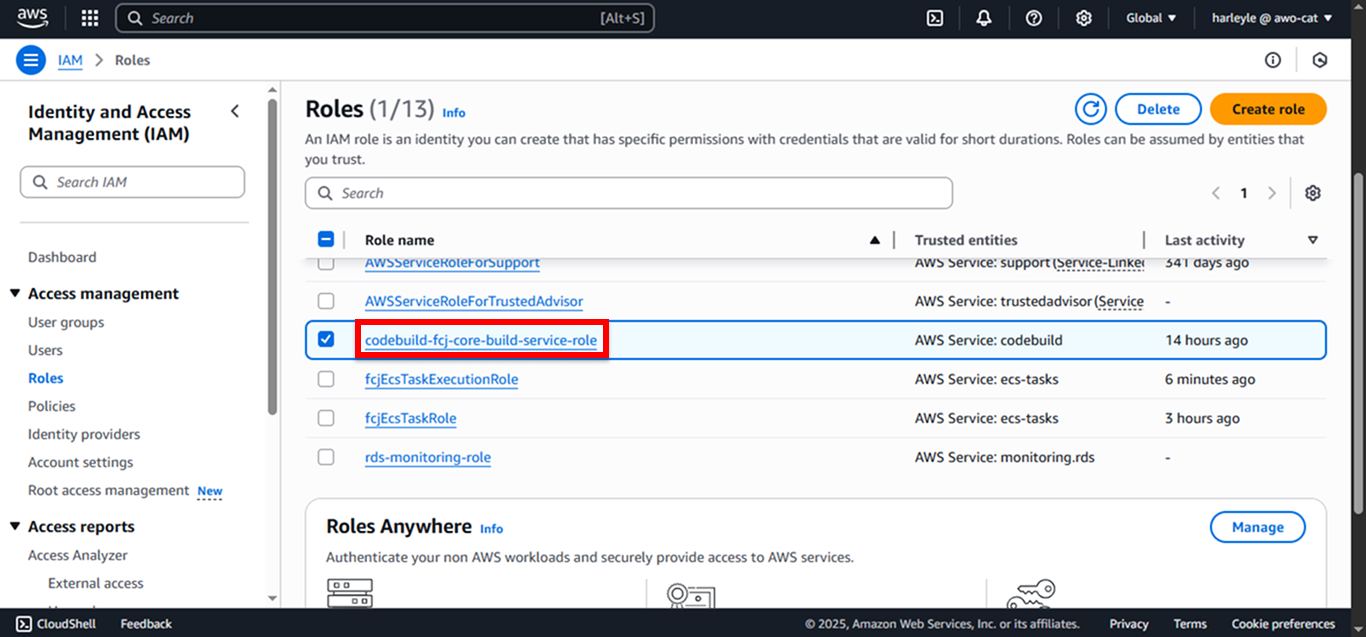
2. Find the CodeBuild service role and click on it.
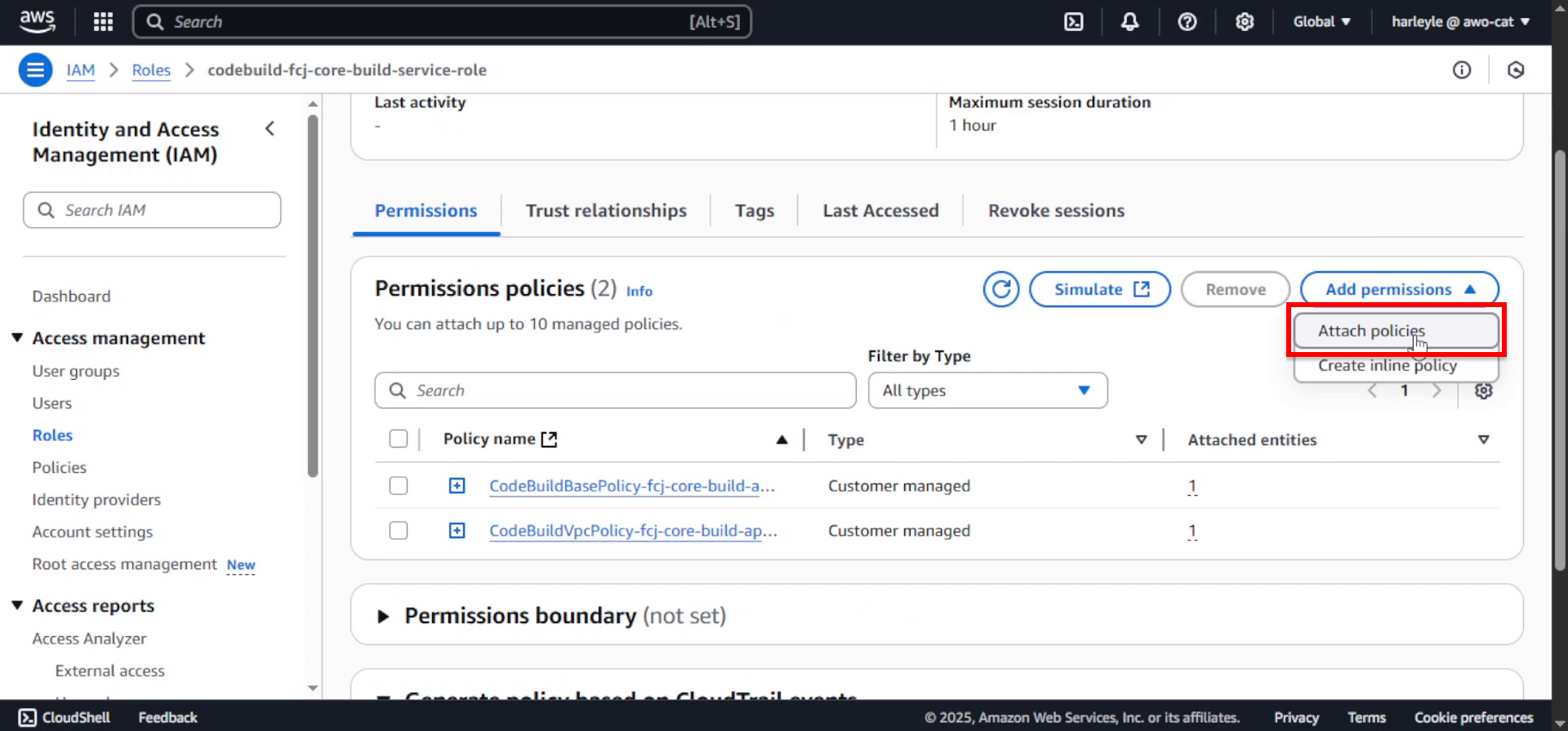
3. Click Add permissions, then select Attach policies.
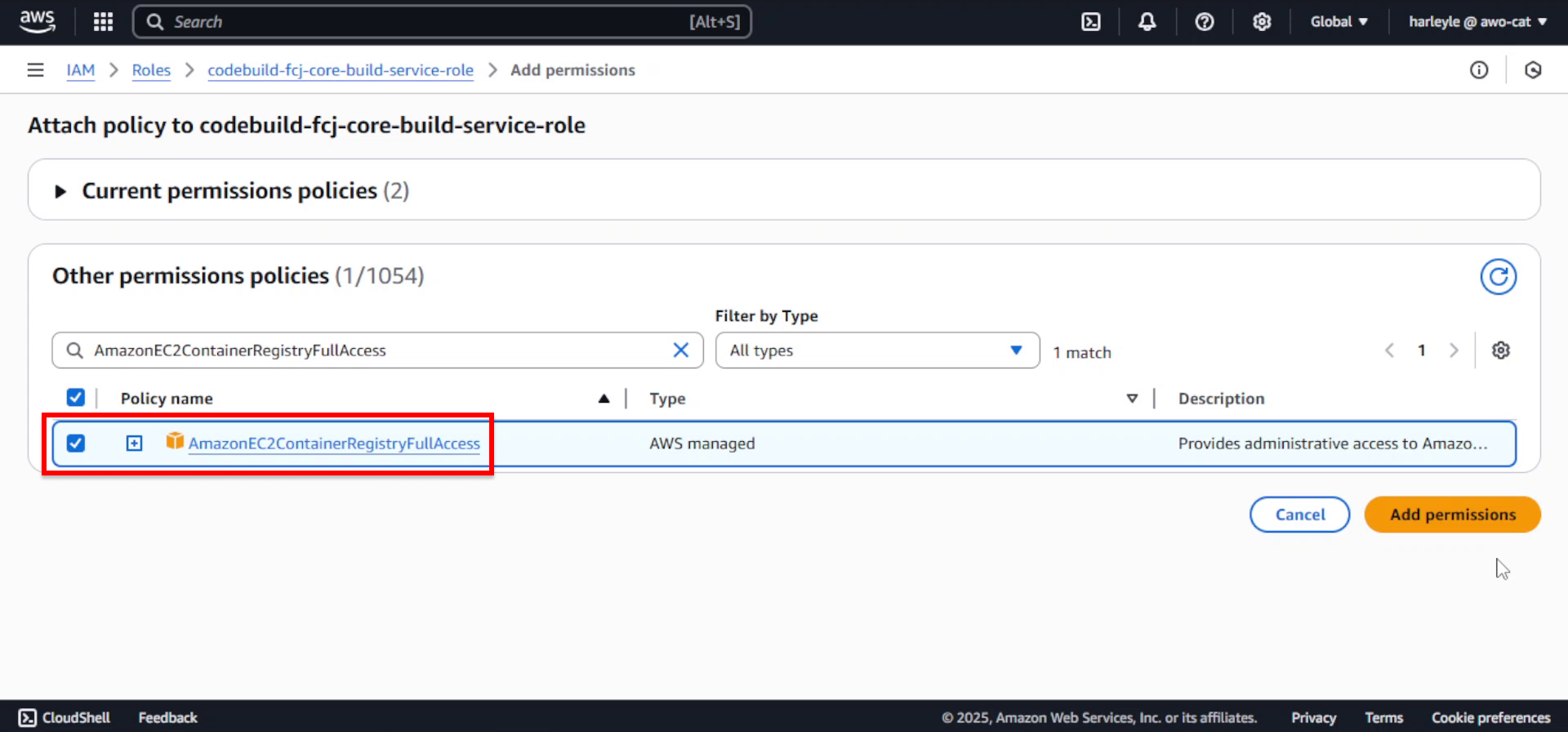
4. Search for and select AmazonEC2ContainerRegistryFullAccess.
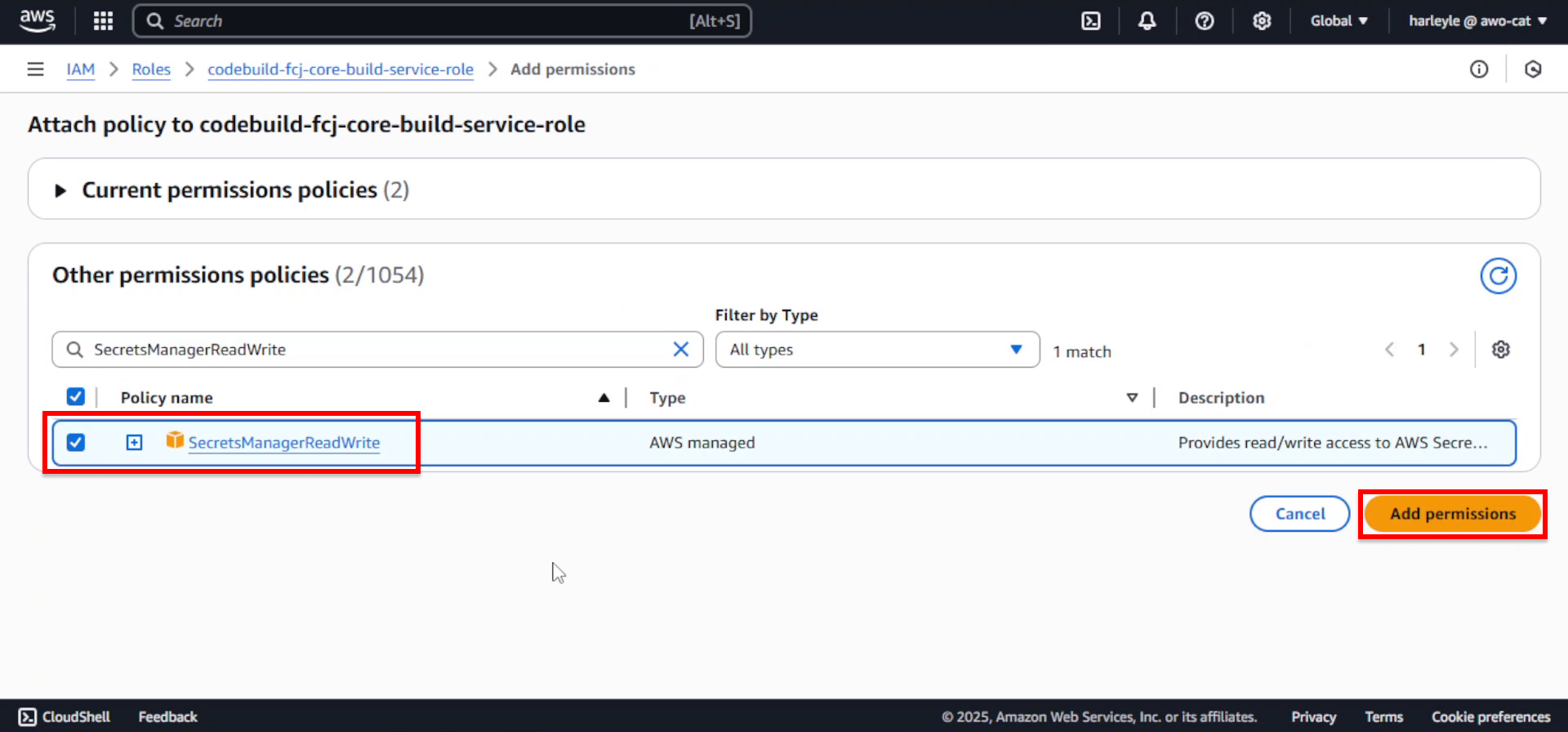
5. Search for and select SecretsManagerReadWrite. Click Add permissions.
6. Navigate back to your pipeline and rerun the build stage.
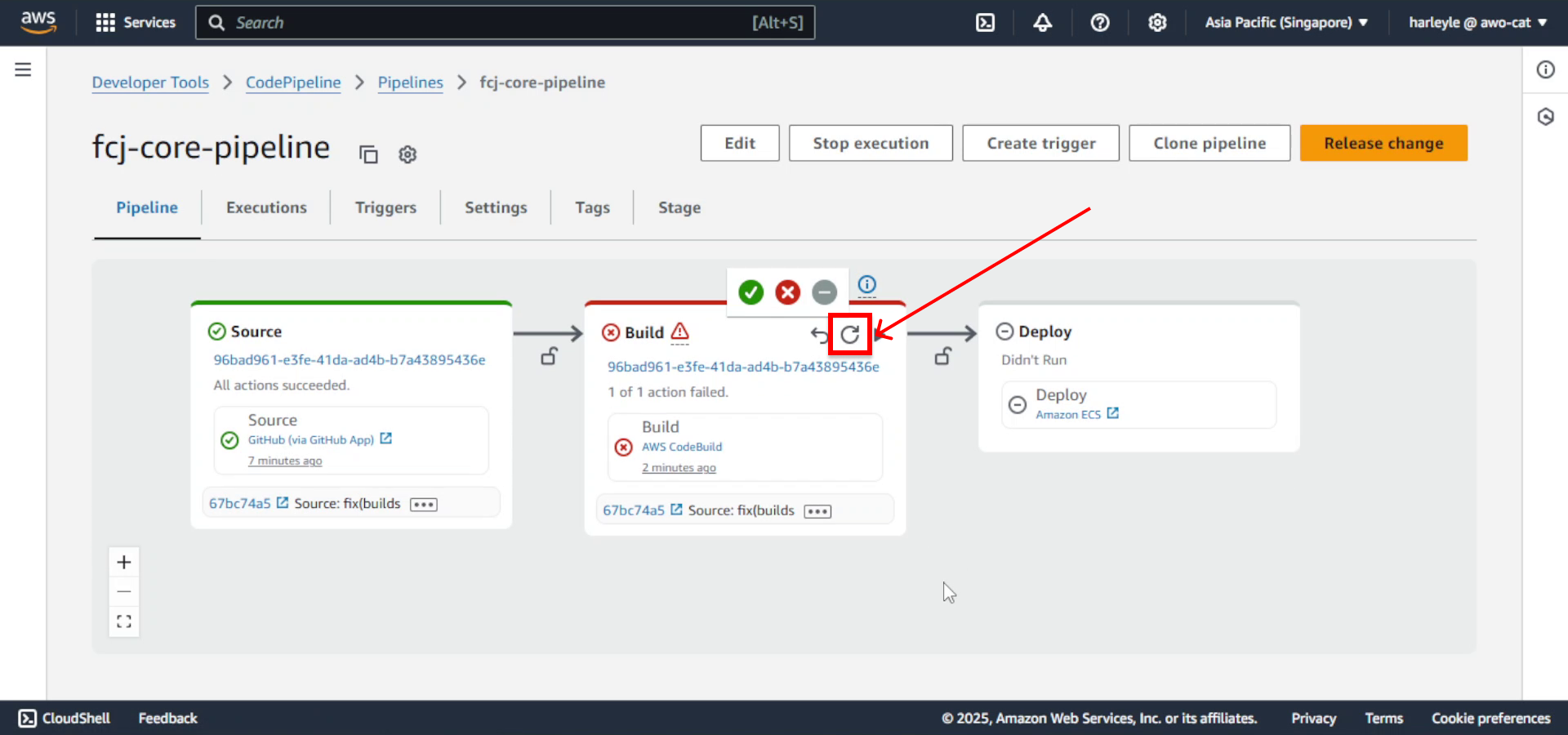
7. Wait approximately 10 minutes for the deploy stage to complete successfully.