Flipping format and cleanup
Mục lục
Overview
AWS CloudFormation allows you to use either JSON or YAML to write your template. But if, in some cases, you want to rewrite your template in a format that is different from your template’s default format. Manually writing it out would be extremely tedious and cumbersome, so AWS offers a tool for it, cfn-flip.
cfn-flip allows you to flip your template into JSON or YAML format with just one command. Let’s together dive into it.
Cfn-flip installation
1. In the Cloud9 environment, open the terminal and run that command to install cfn-flip.
pip install cfn-flip2. Verify cfn-flip’s version, confirming it is installed successfully.
cfn-flip --version
Flipping your template
1. Open and inspect the content of the file ~/environment/ws2-material/workshop/fundamental/flipping-and-cleanup/flipping.json. That file contains a template definition which is written in JSON.
2. Run the command to turn it into YAML format.
cd ~/environment/ws2-material/workshop/fundamental/flipping-and-cleanup/flipping.json
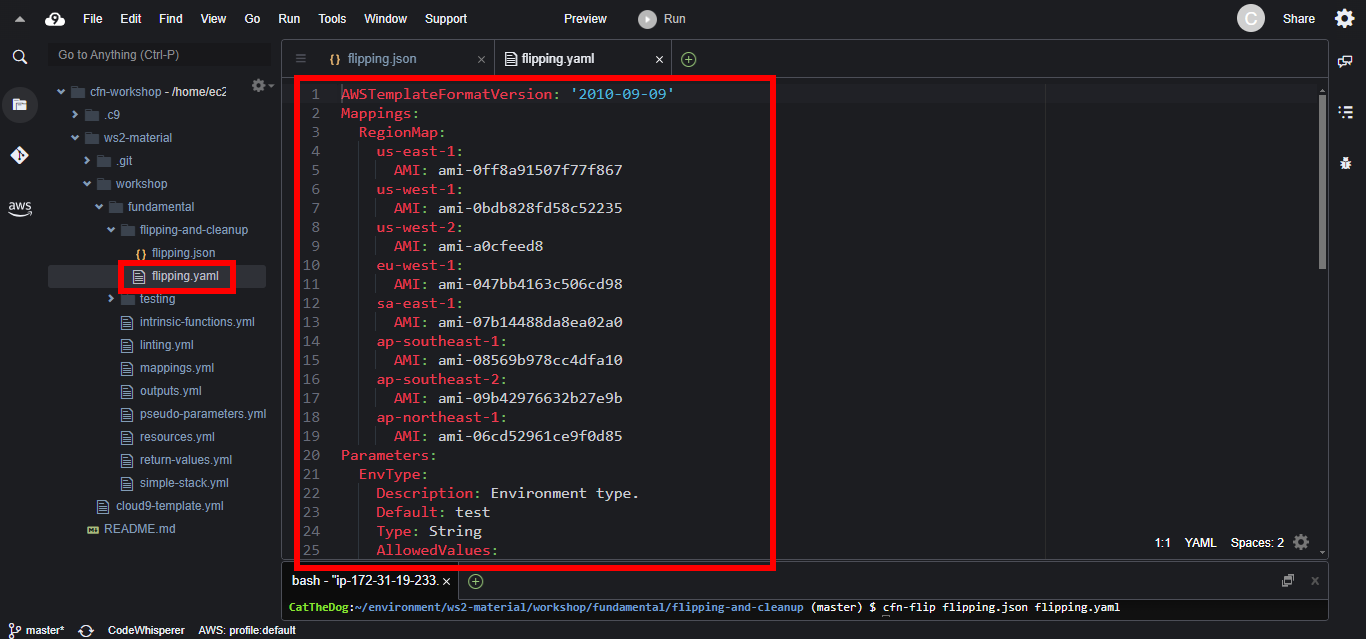
cfn-flip flipping.json flipping.yaml
3. Open the file flipping.yaml to see the result.
Cleanup your template
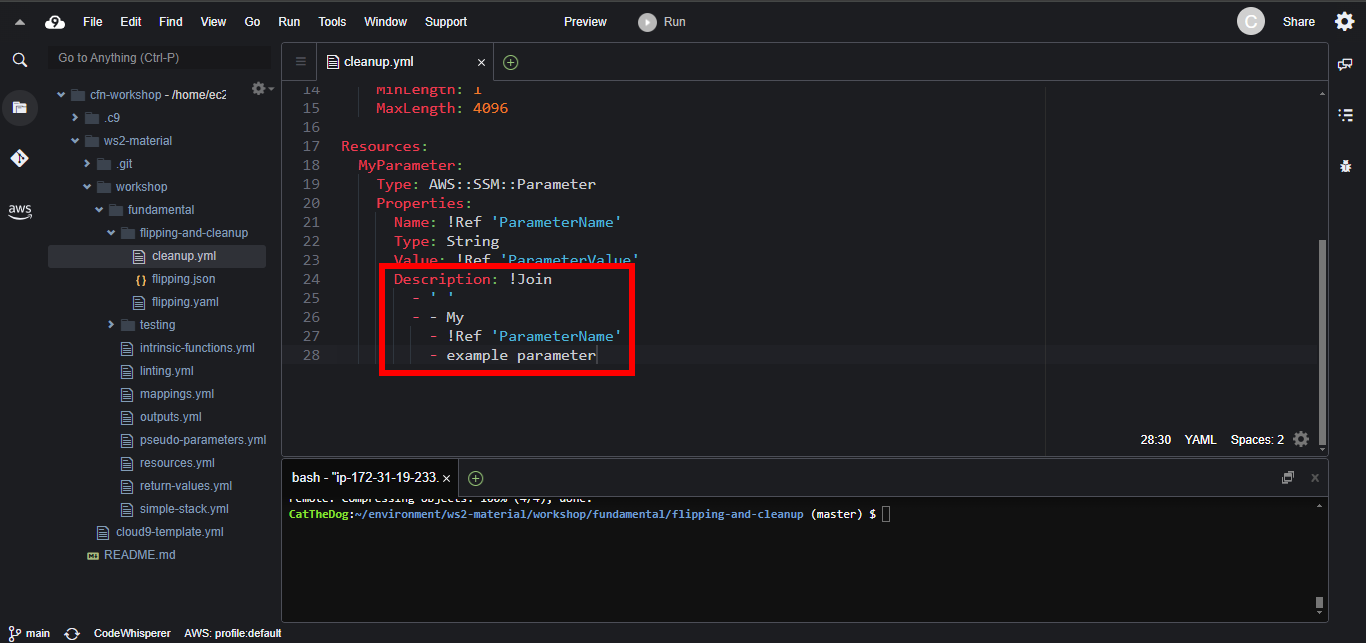
cfn-flip has an option used to cleanup your template by rewriting some lengthy intrinsic functions, such as Fn::Join into Fn::Sub.
1. Open the file cleanup.yml, you will see the Fn::Join function which is very lengthy.
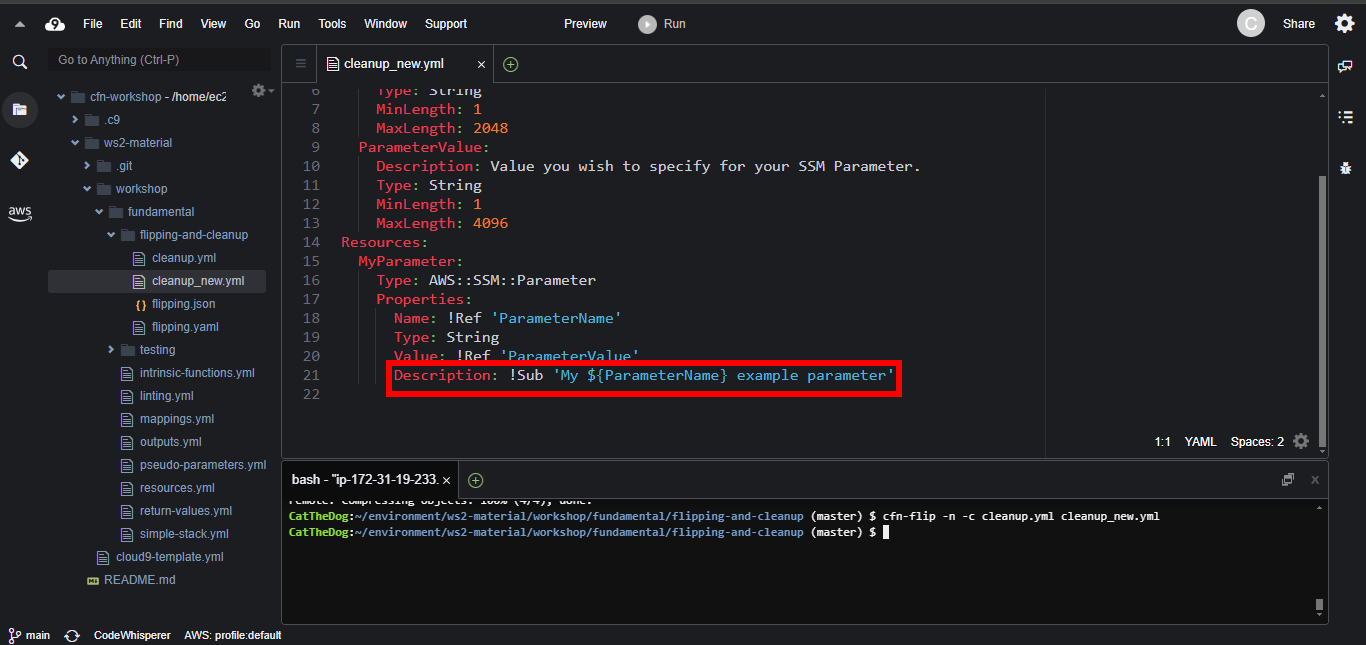
2. Run the cfn-flip command with –no-flip (-n) and –clean (-c) options to cleanup your template.
cfn-flip -n -c cleanup.yml cleanup_new.yml3. Open the file cleanup_new.yml to confirm that our new template version is better than the old one.