Enable auto-assign public IPv4 address
Mục lục
Enable auto-assign public IPv4 address
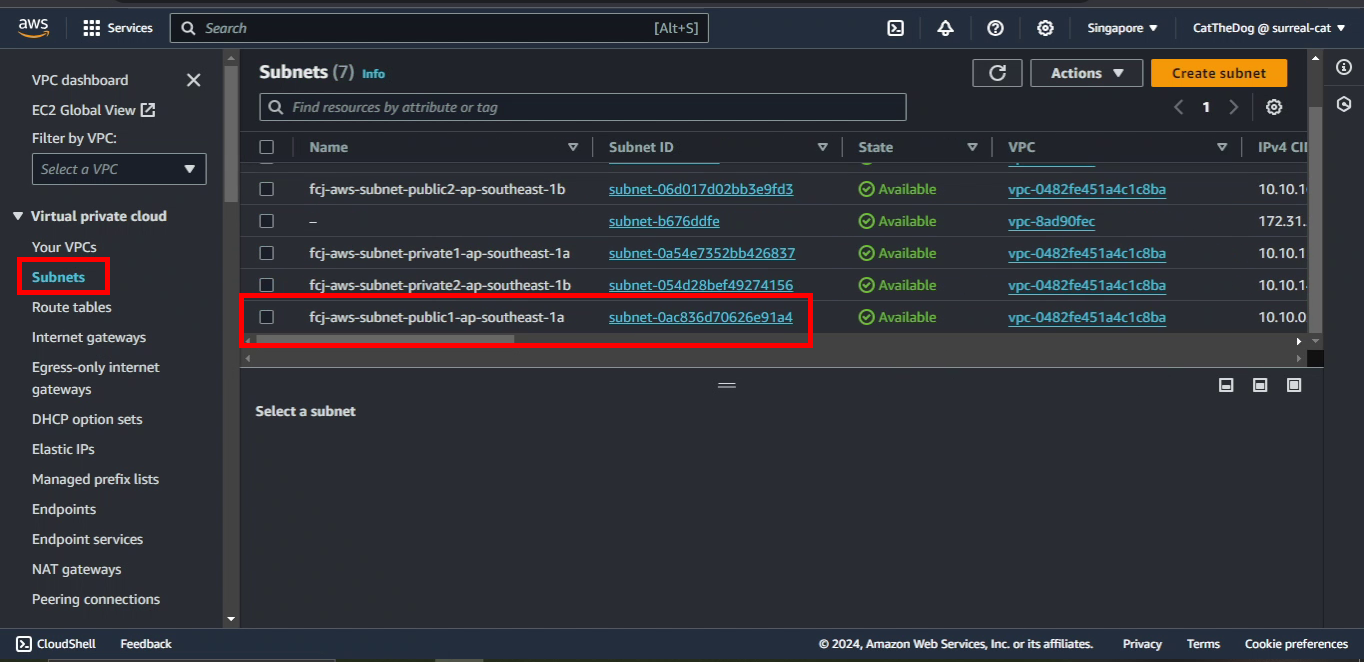
- Go to VPC, select Subnets, choose subnet
fcj-aws-subnet-public1-*.
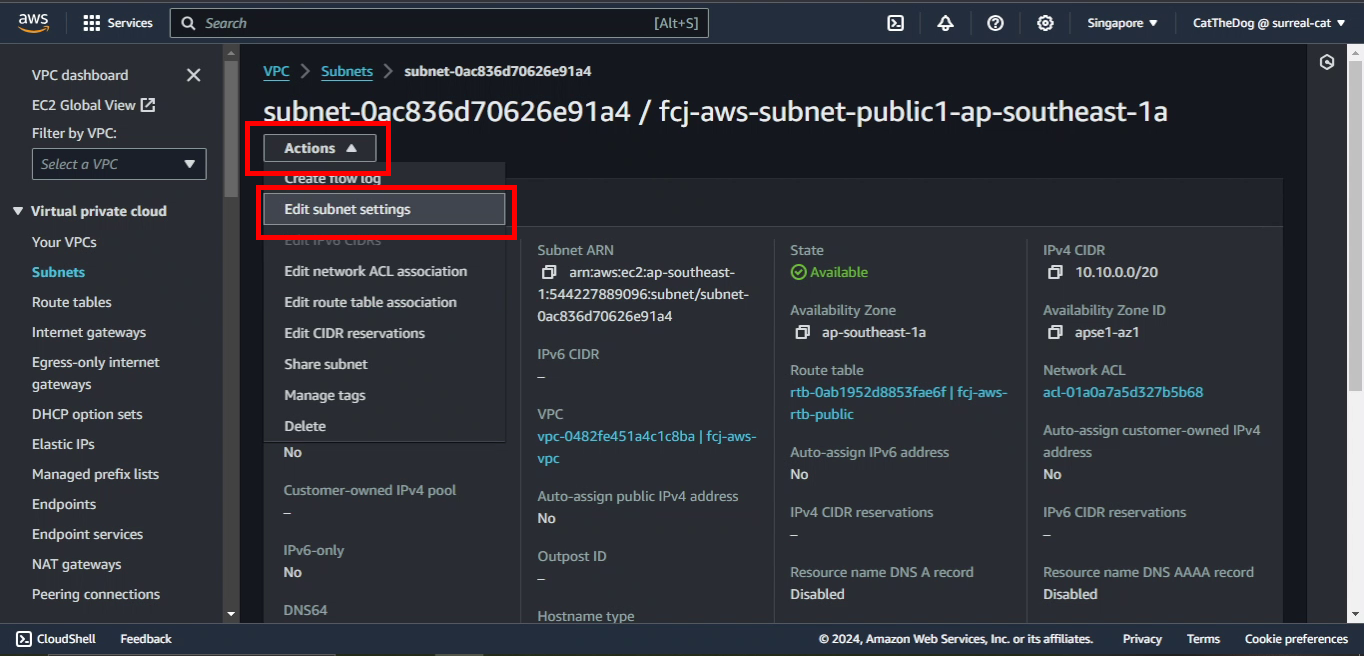
- Click Actions then click Edit subnet settings.
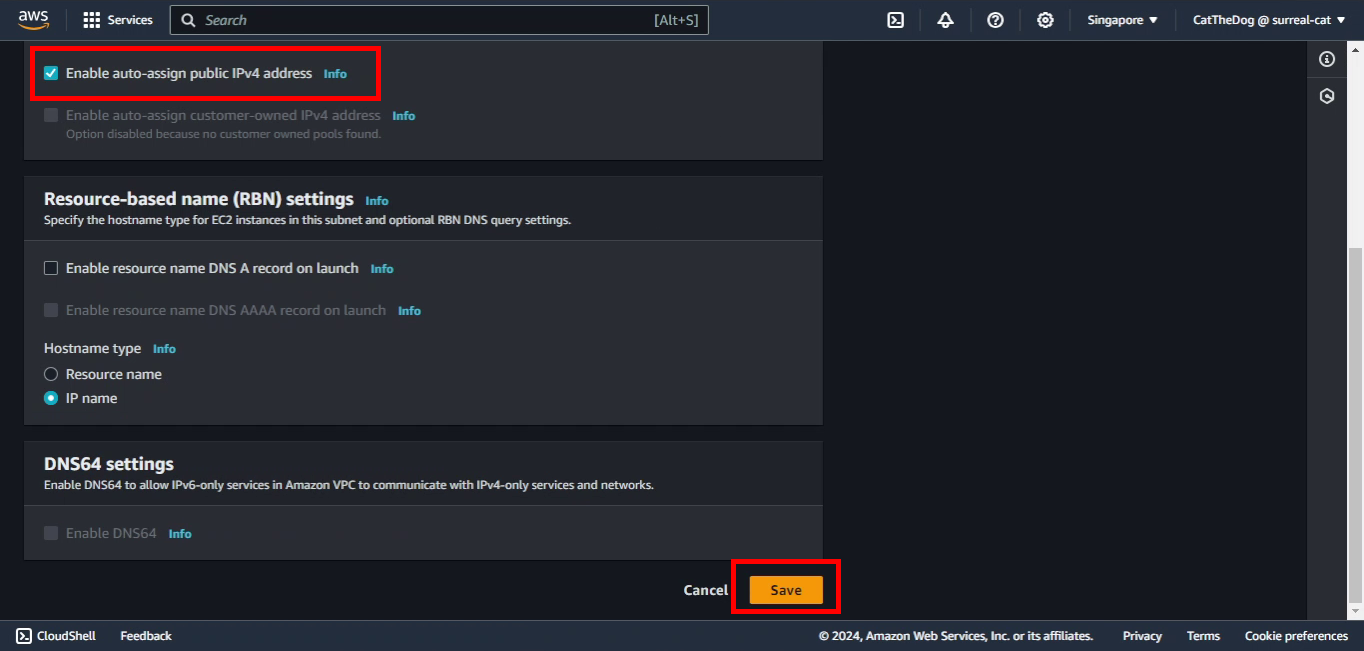
- Check Enable auto-assign public IPv4 address, then click Save.
- Repeat those steps with subnet
fcj-aws-subnet-public2-*.