harley.dev
thực hành bài viết chủ đề đôi lời
en
thực hành bài viết chủ đề đôi lời
4 mô-đun Implement pipeline for Elastic Beanstalk application
thực hành • 4 mô-đun
Implement pipeline for Elastic Beanstalk application
  • 1.Introduction
  • 2.Create Elastic Beanstalk Environment
    • 2.1Create a VPC
    • 2.2Enable auto-assign public IPv4 address
    • 2.3Create EC2 Keypair
    • 2.4Create EC2 Instance Profile
    • 2.5Deploy the Environment
    • 2.6Test the Environment
  • 3.Deploy CodePipeline
    • 3.1Create a new S3 Bucket
    • 3.2Connect AWS to Github
    • 3.3Create a new Pipeline
    • 3.4Add Policy for Service Role
    • 3.5Test the Pipeline
  • 4.Clean up resources
  1. Trang chủ
  2. Workshop thực hành
  3. Implement pipeline for Elastic Beanstalk application
  4. Deploy CodePipeline
  5. 3.4 Add Policy for Service Role
section 3.4 • 1 phút đọc

Add Policy for Service Role

Xem Markdown raw Mở bằng ChatGPT ↗ Mở bằng Claude ↗
Mục lục
      • Add Policy for Service Role

Add Policy for Service Role

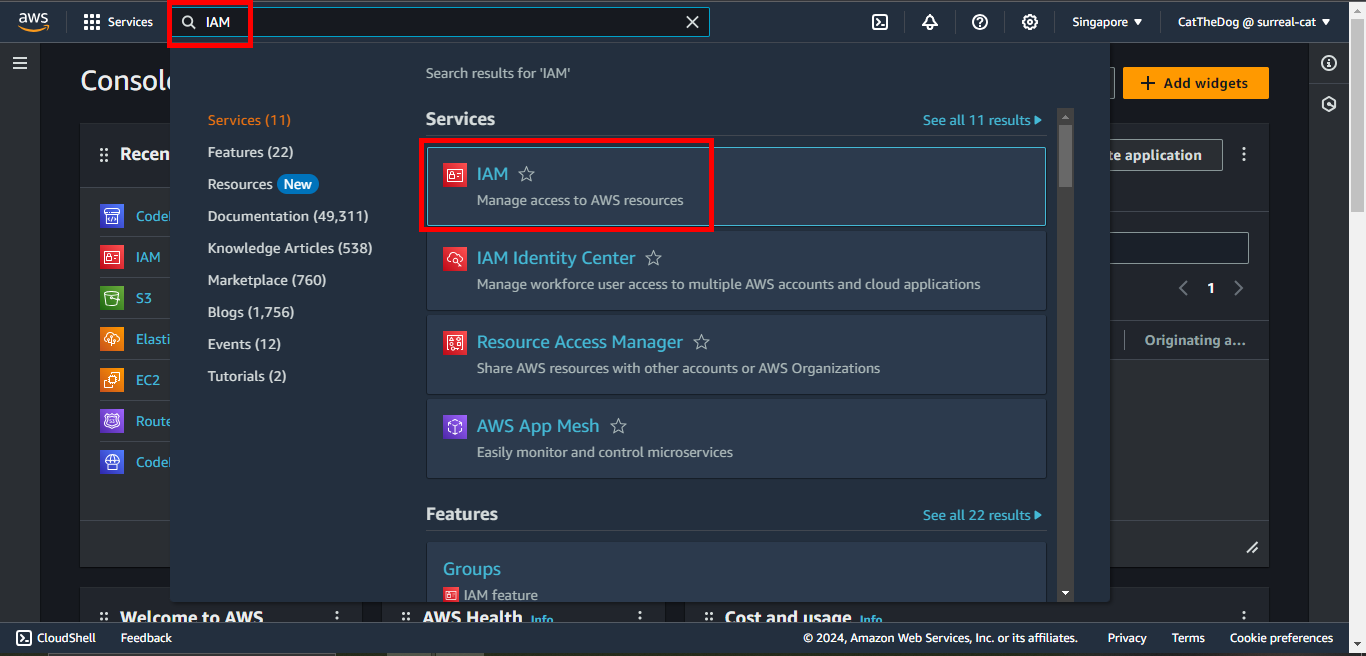
  1. Find and select IAM.
0001
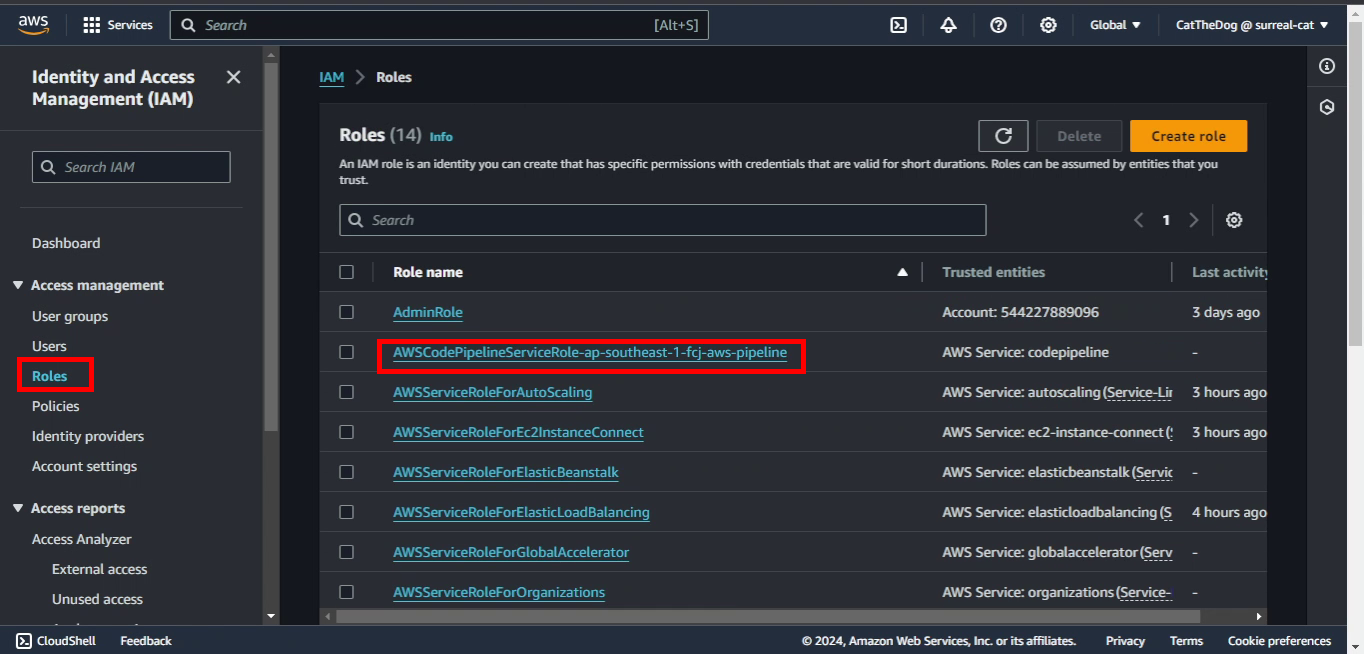
  1. Select Roles then select Service Role CodePipeline has created.
0002
  1. Select Add permissions > Attach policies.
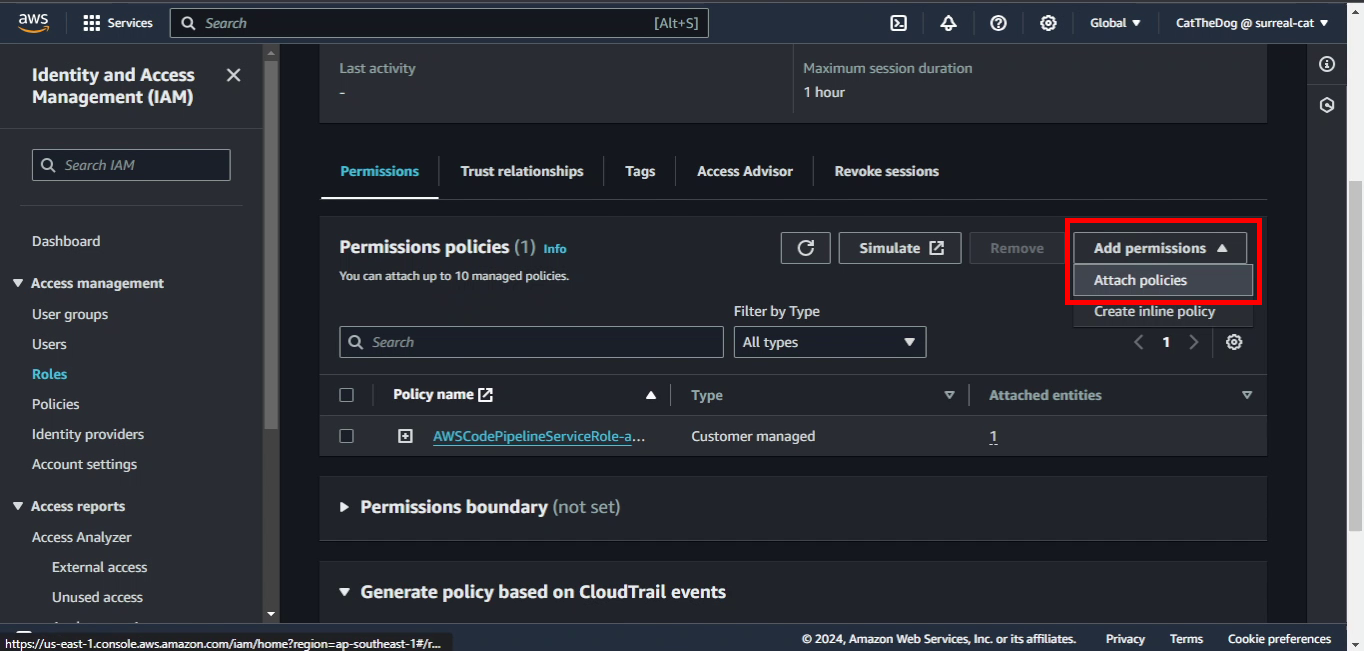
0003
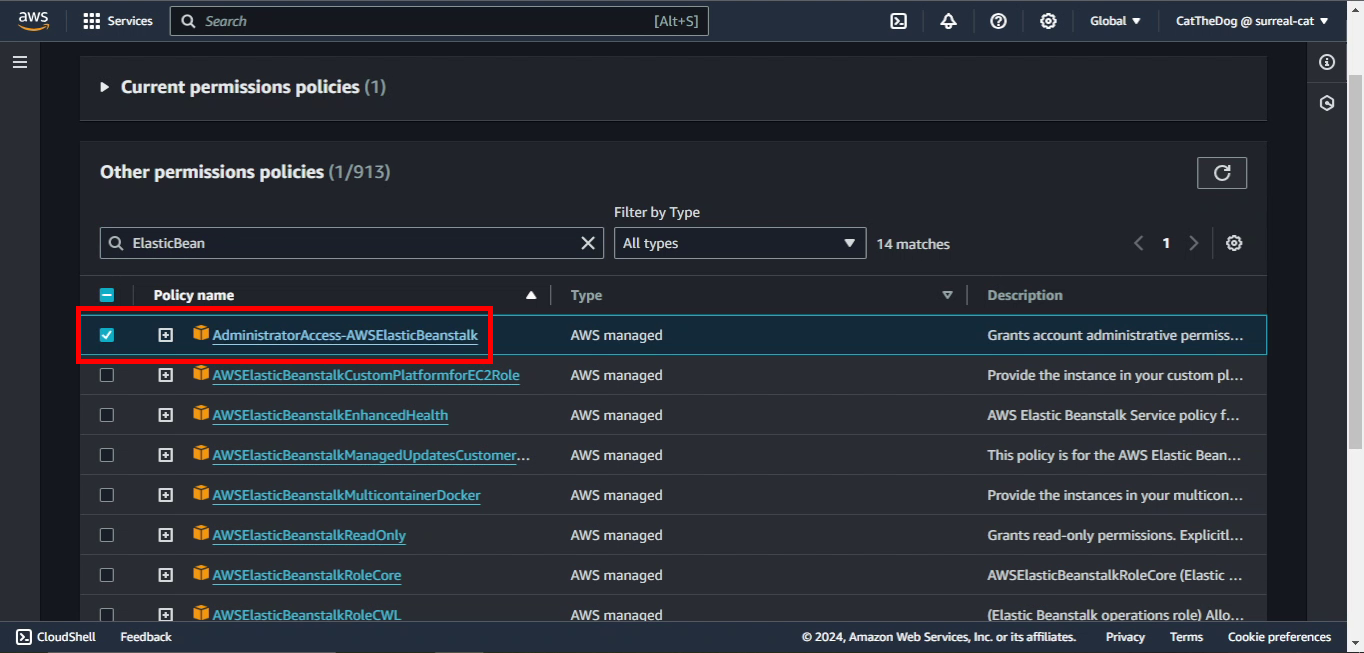
  1. Find and check the AdministratorAccess-AWSElasticBeanstalk policy.
0004
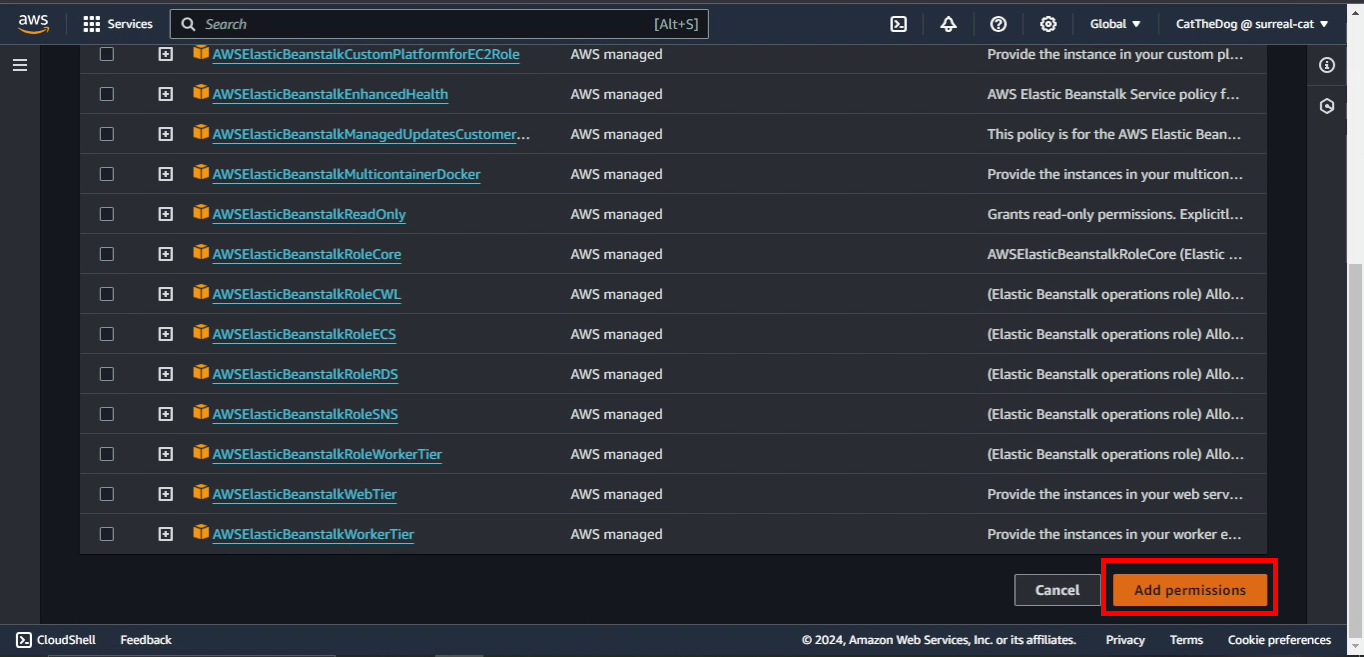
  1. Select Add permissions.
0005
← phần trước 3.3 Create a new Pipeline
phần tiếp theo → 3.5 Test the Pipeline
harley.dev • ghi chép linh tinh & lab thực hành
github linkedin facebook medium rss top ↑