Create Amazon ECS Cluster
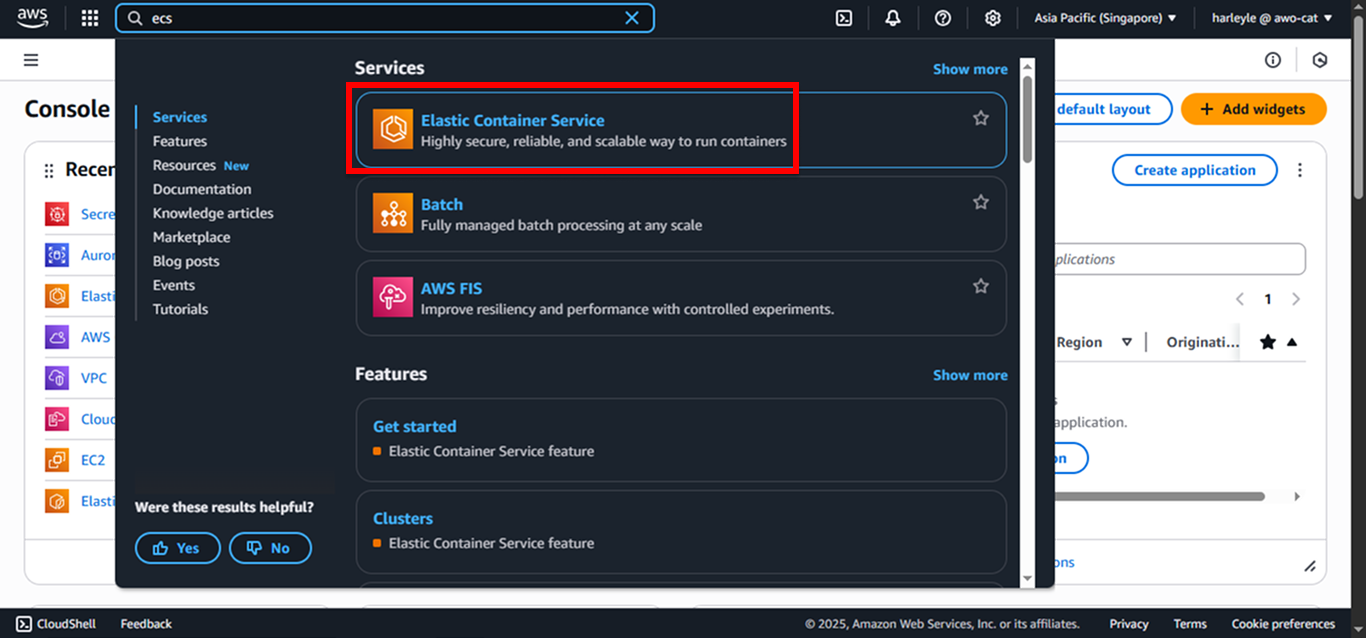
1. Navigate to Amazon ECS:
- In the AWS Console search bar, type
ECS - Select Elastic Container Service from the dropdown
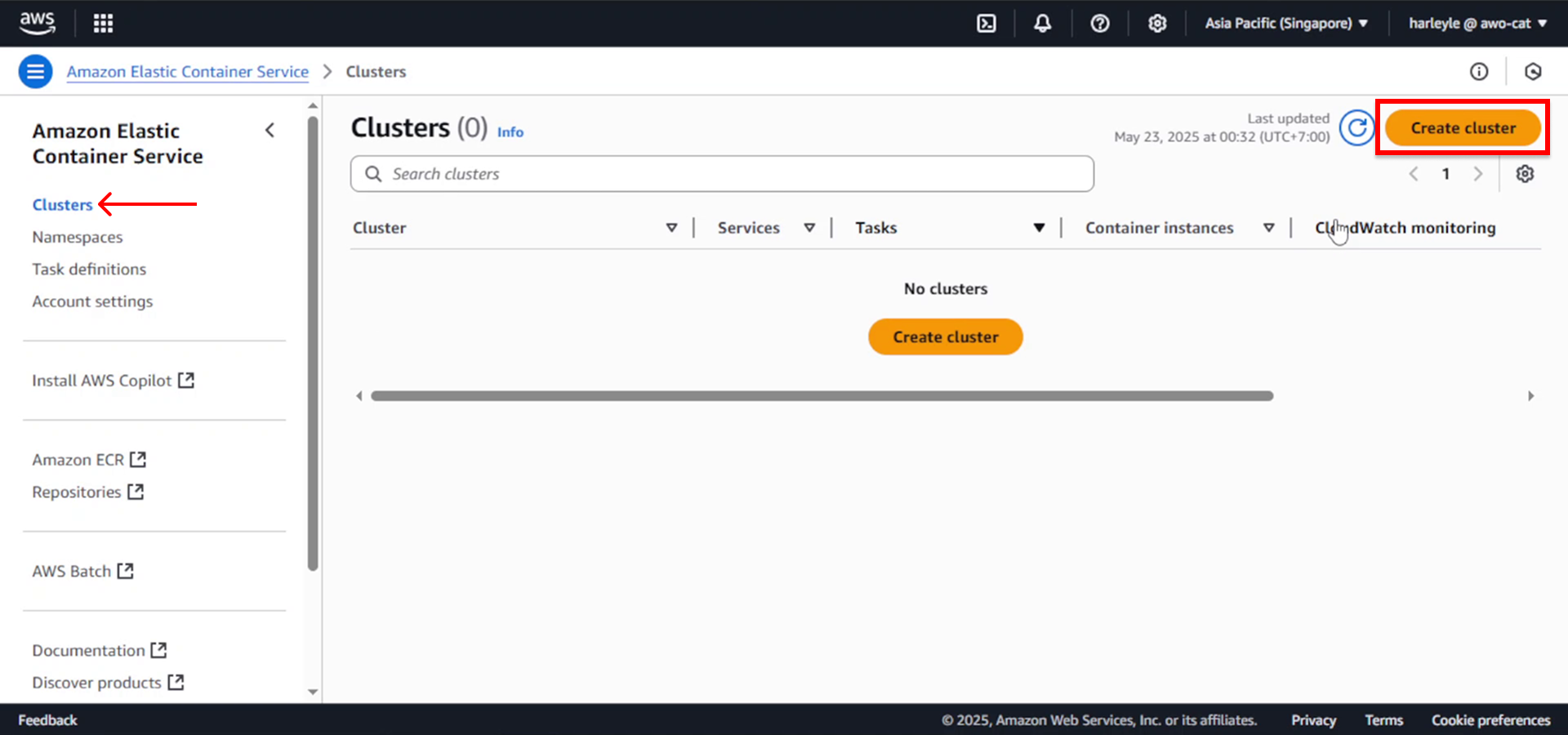
2. In the ECS Dashboard, select Clusters from the left navigation panel, then click Create cluster.
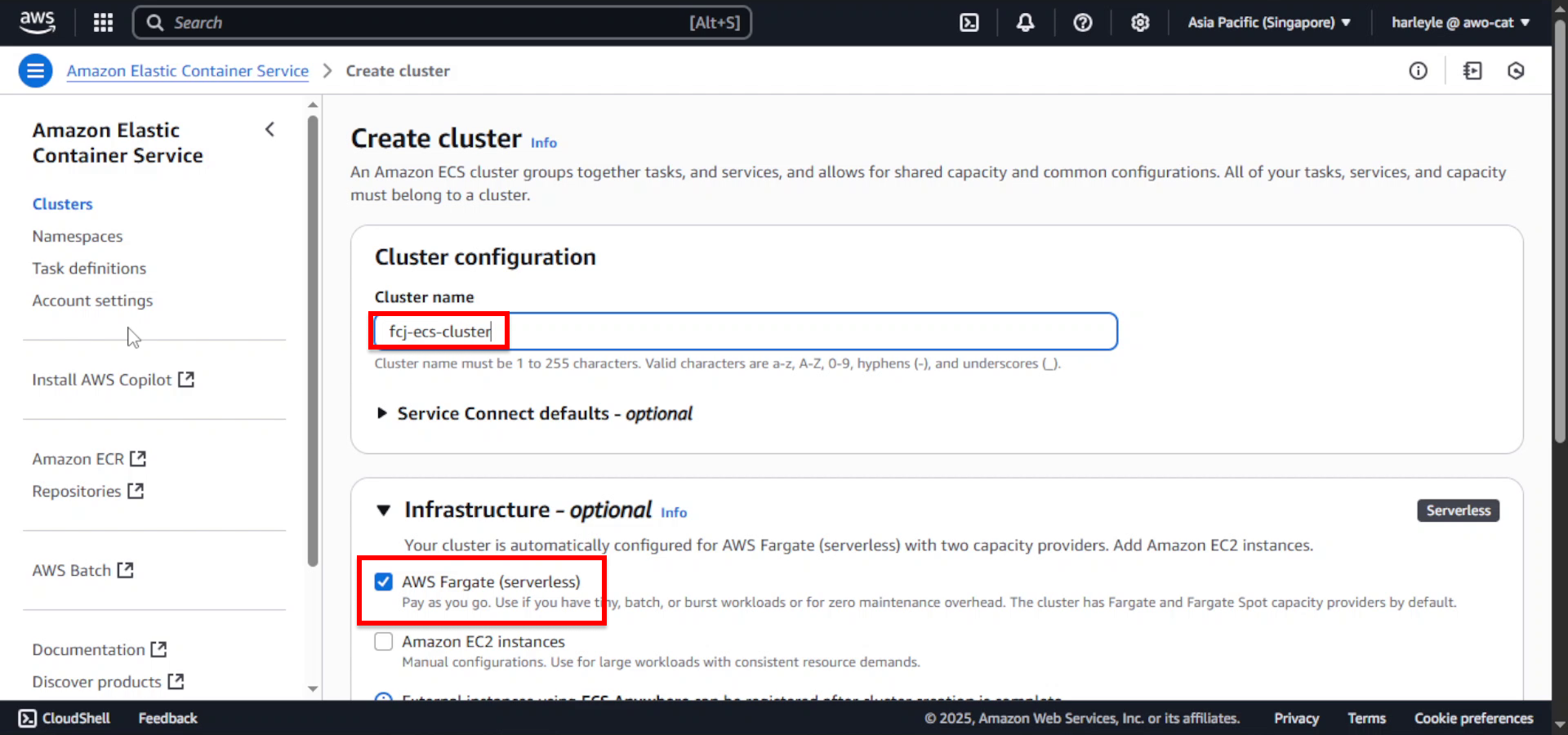
3. Configure the cluster settings:
- Cluster name: Enter
fcj-ecs-cluster - Infrastructure: Select AWS Fargate (serverless) only
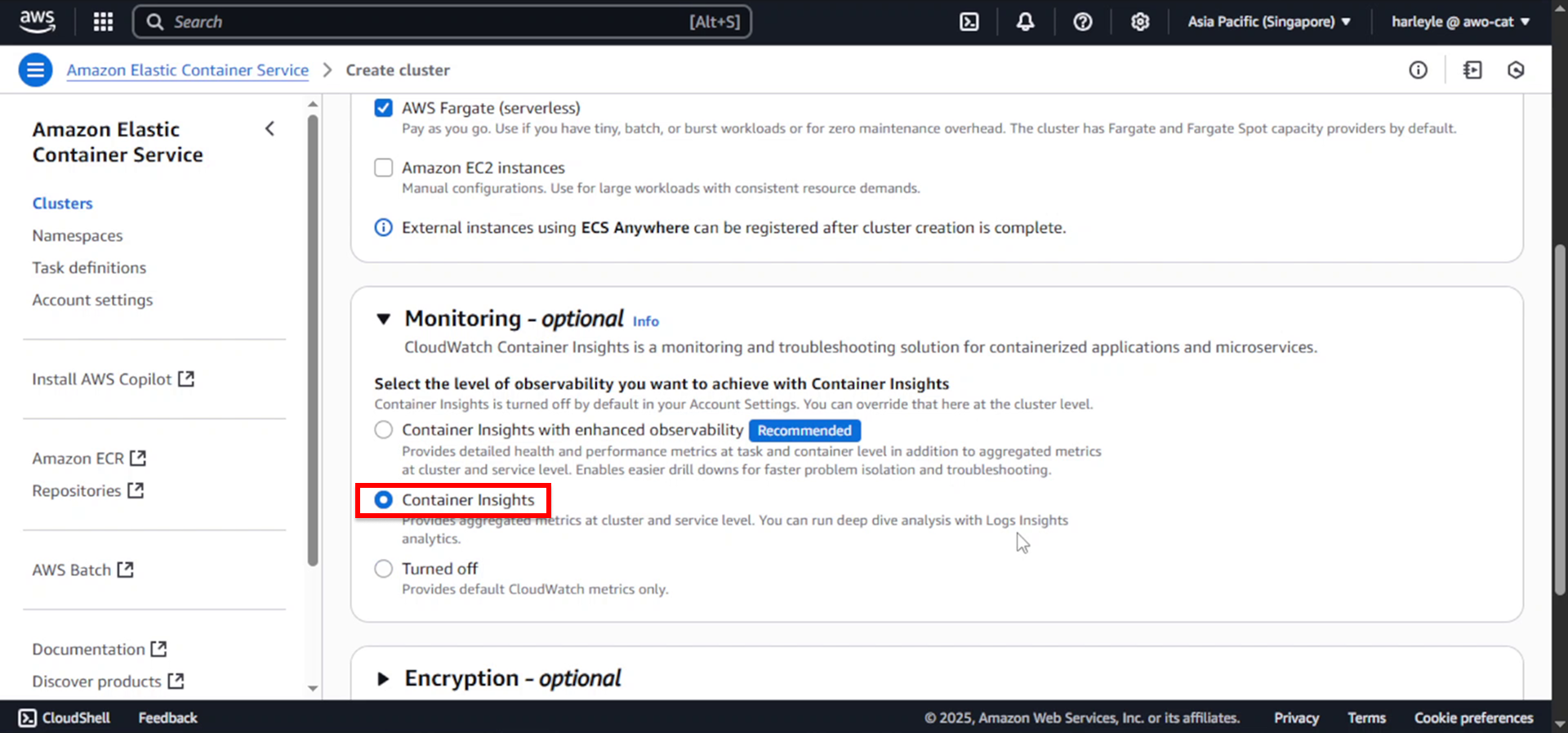
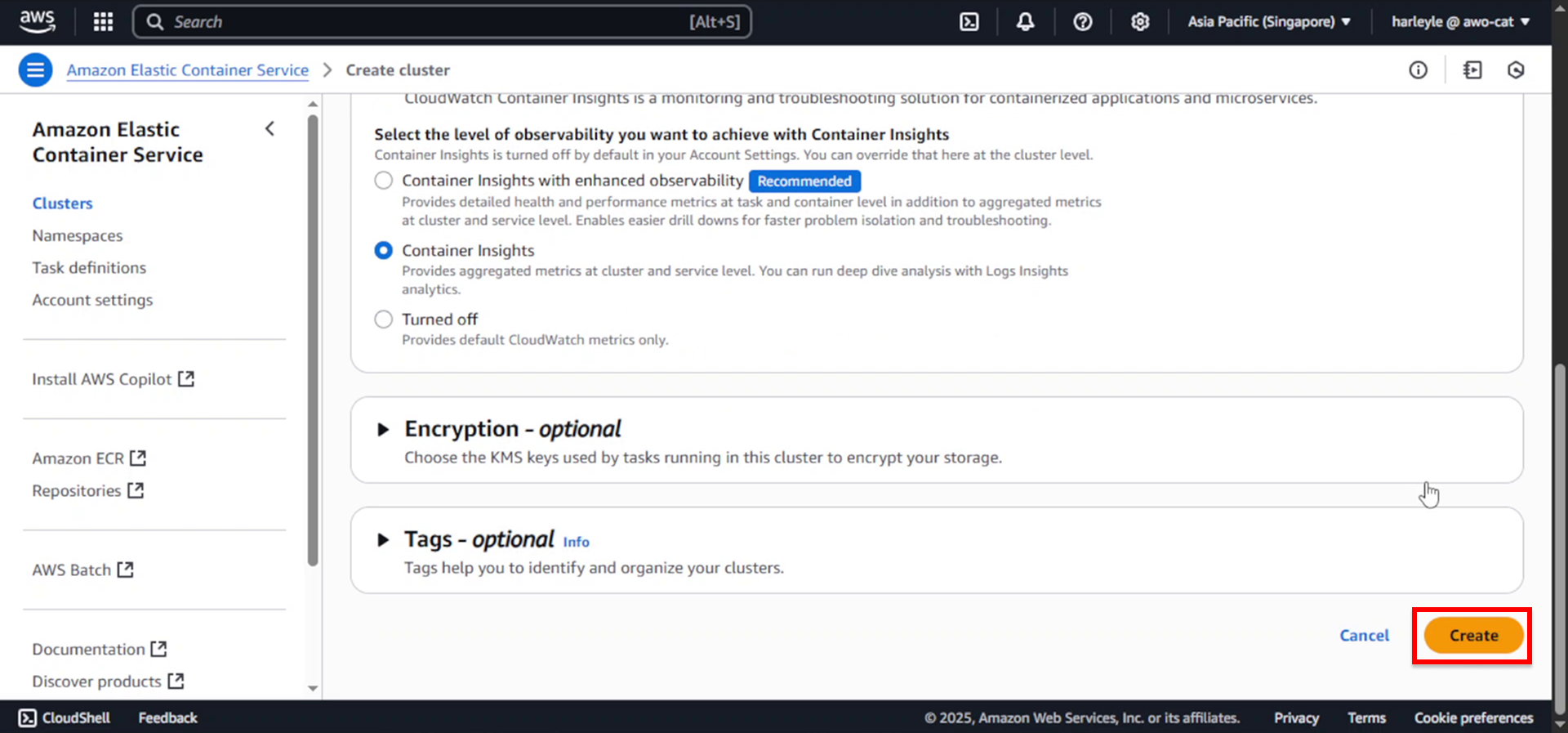
4. Configure monitoring:
- Scroll down to Monitoring
- Select Use Container Insights
5. Review your configuration and click Create.
6. Verify creation: Confirm that the fcj-ecs-cluster appears in your clusters list with “Active” status.
Your ECS cluster is now ready to host containerized applications. In the next sections, we’ll create task definitions and services to deploy your Spring Boot applications.