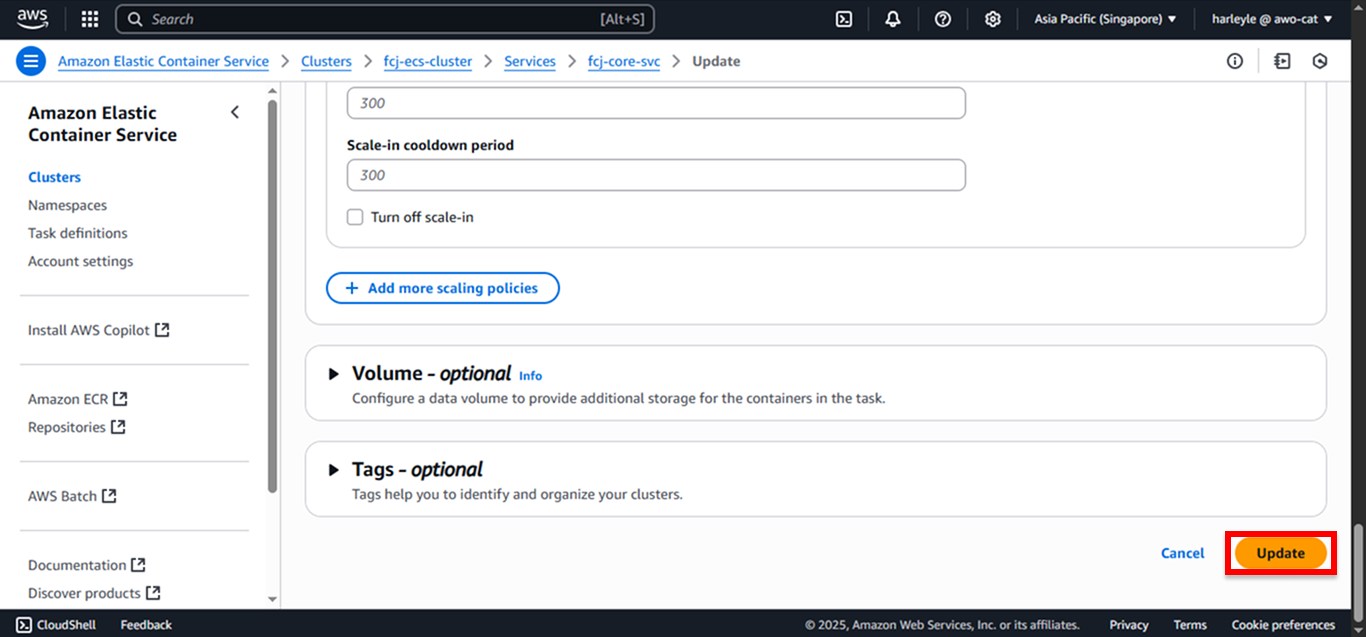
Enable Auto Scaling for the Core Application
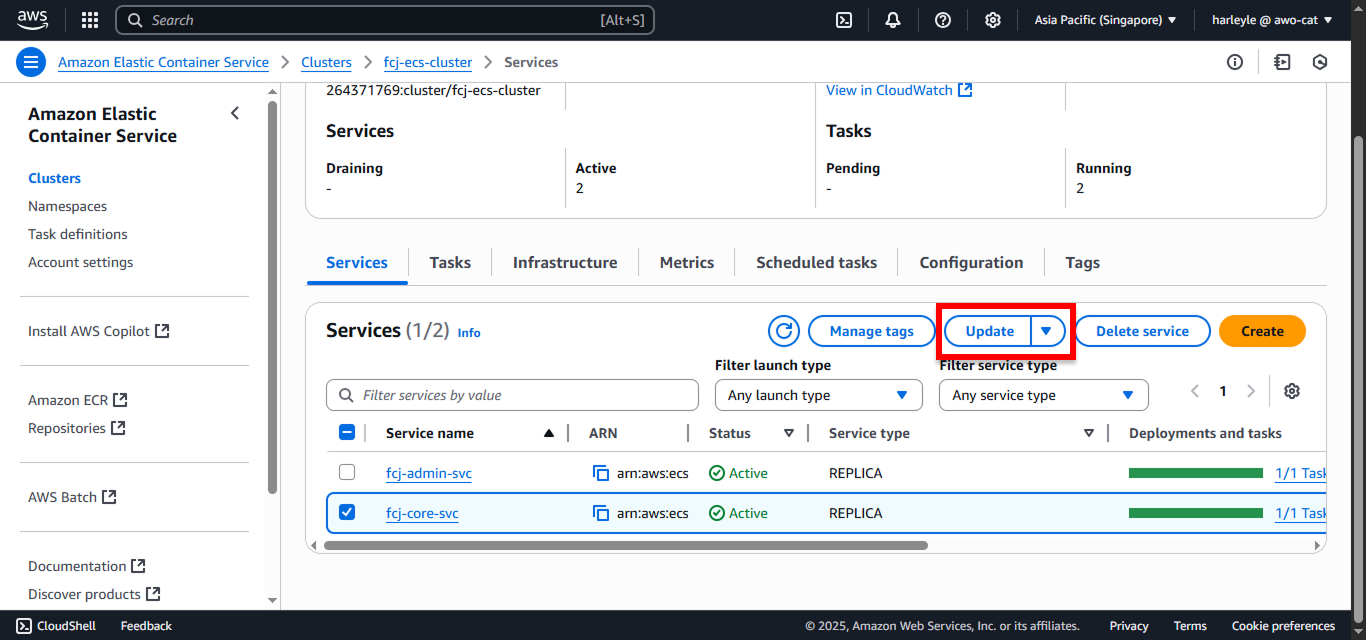
1. Update the fcj-core-svc service.
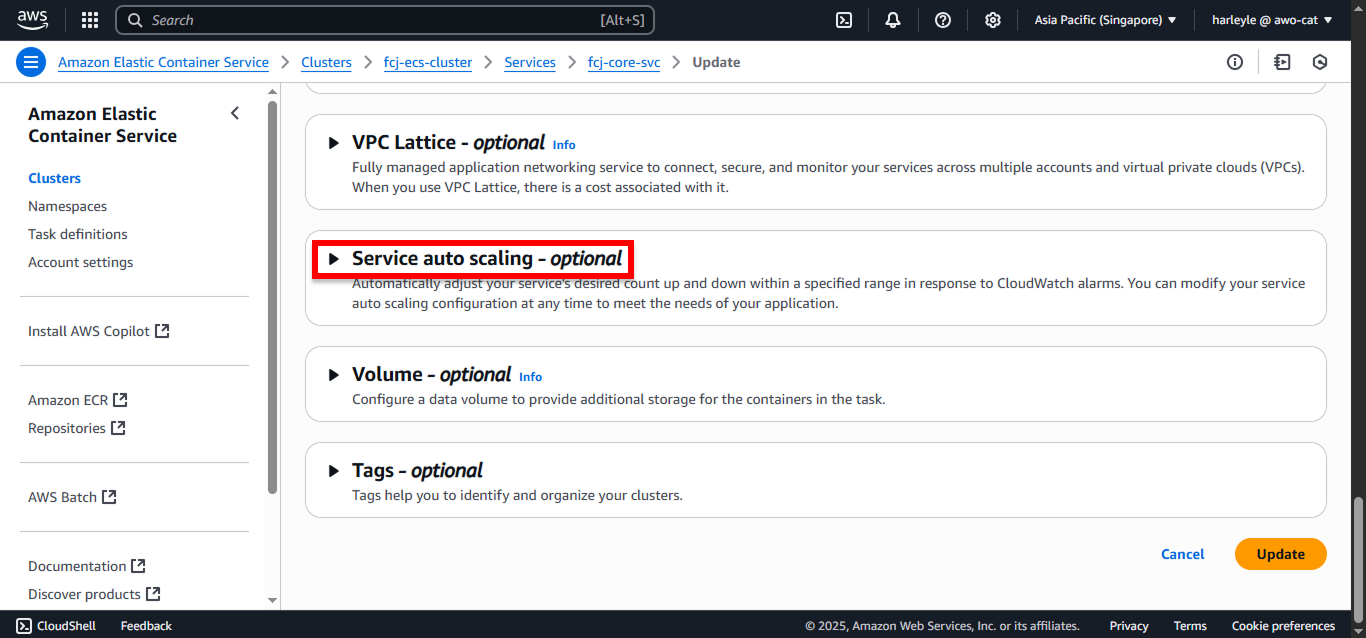
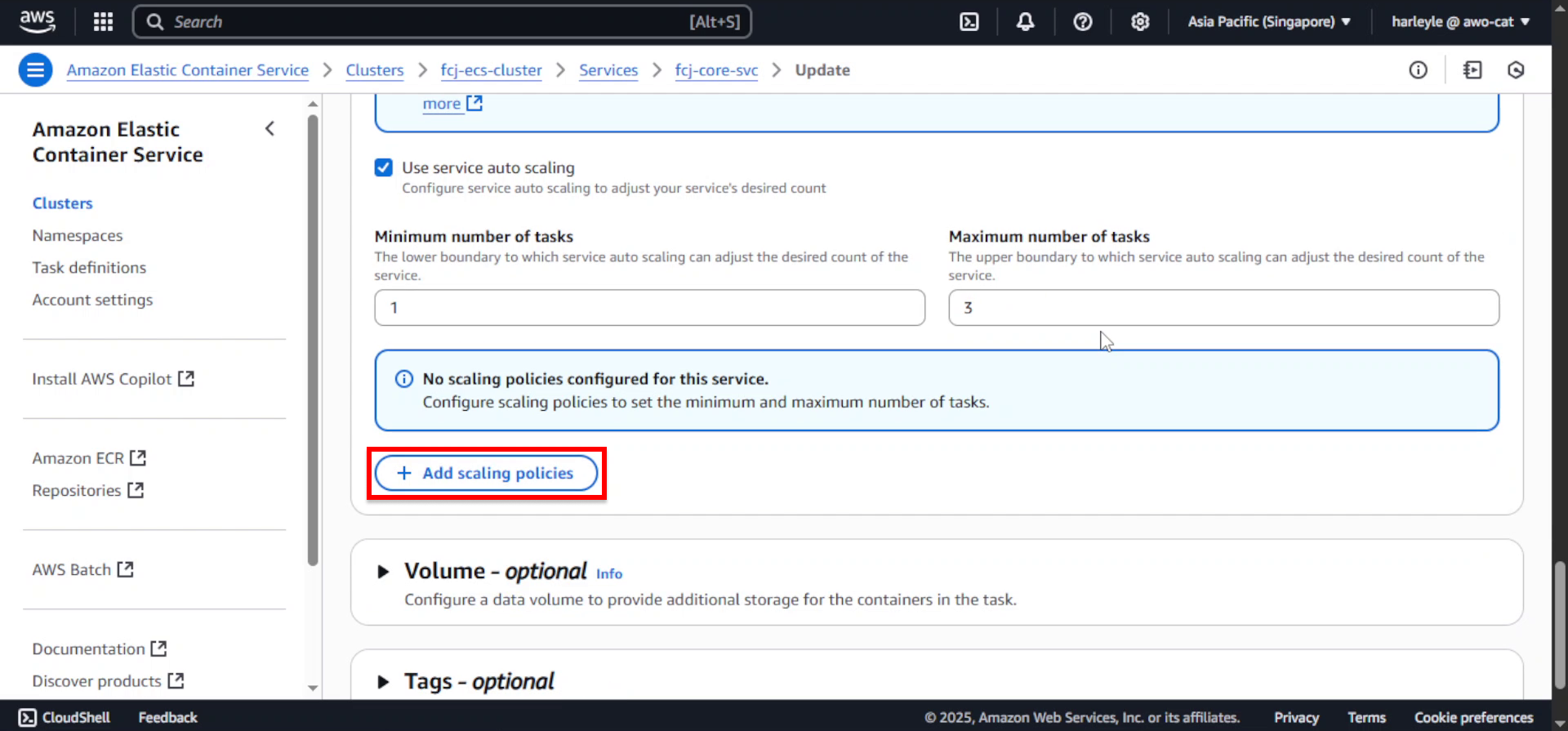
2. Scroll to Service auto scaling and expand it.
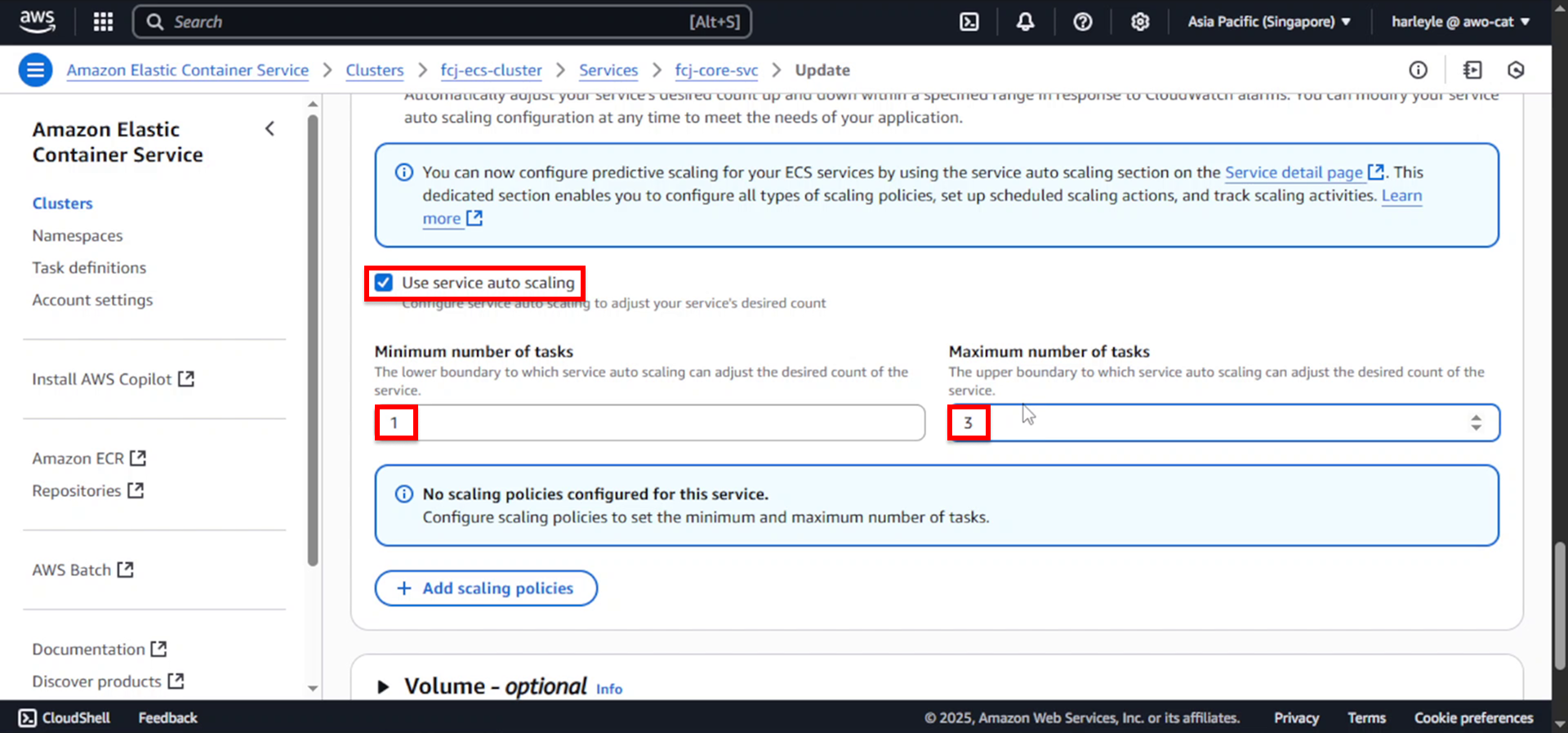
3. Configure auto scaling settings:
- Check Use service auto scaling
- Minimum number of tasks: Enter
1 - Maximum number of tasks: Enter
3
4. Click Add scaling policies.
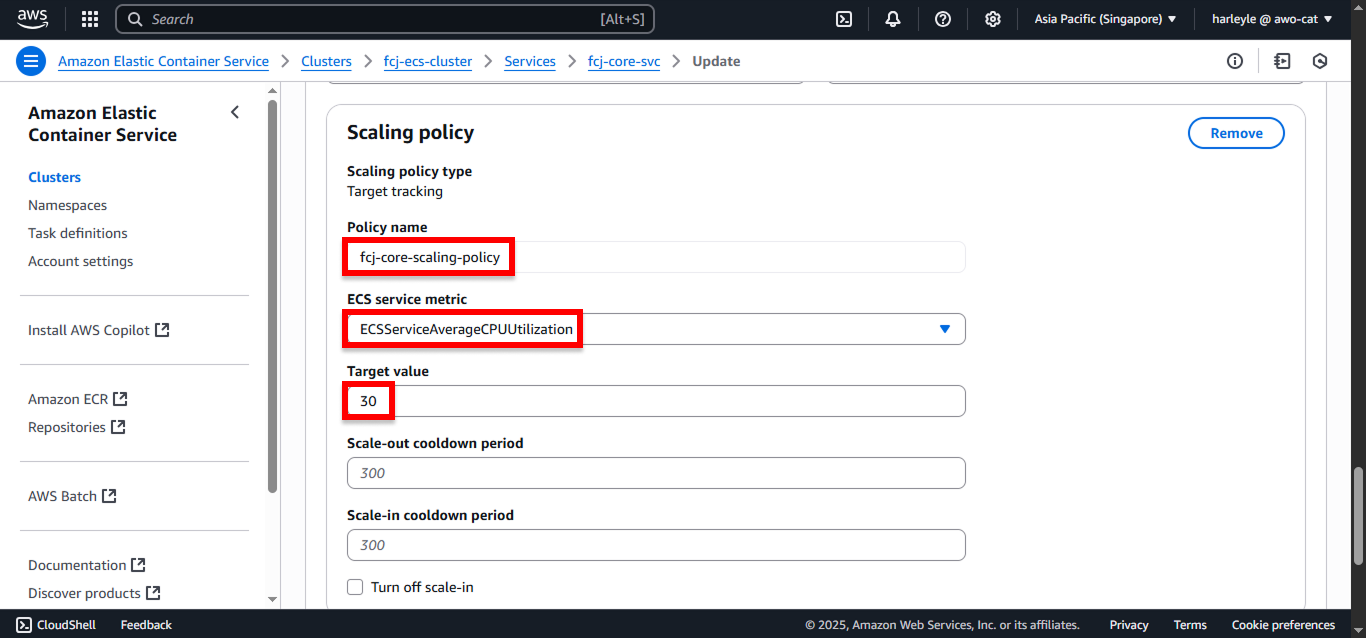
5. Configure the scaling policy:
- Policy name: Enter
fcj-core-scaling-policy - ECS service metric: Select ECSServiceAverageCPUUtilization
- Target value: Enter
30
6. Click Update.