Establish GitHub Connection
Table of Contents
Fork the Repository
1. Open the workshop repository’s URL in a new tab.
Click to open Workshop Repository
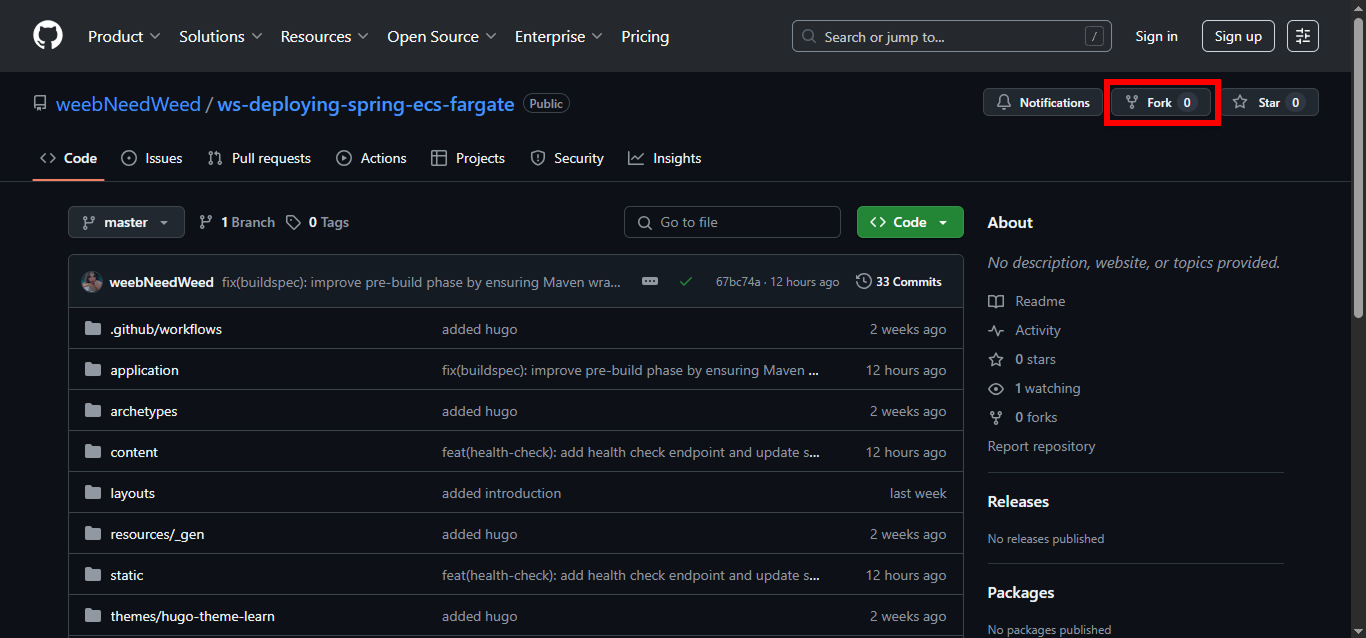
2. Click Fork to create a copy of this repository in your GitHub account.
Connect AWS to GitHub
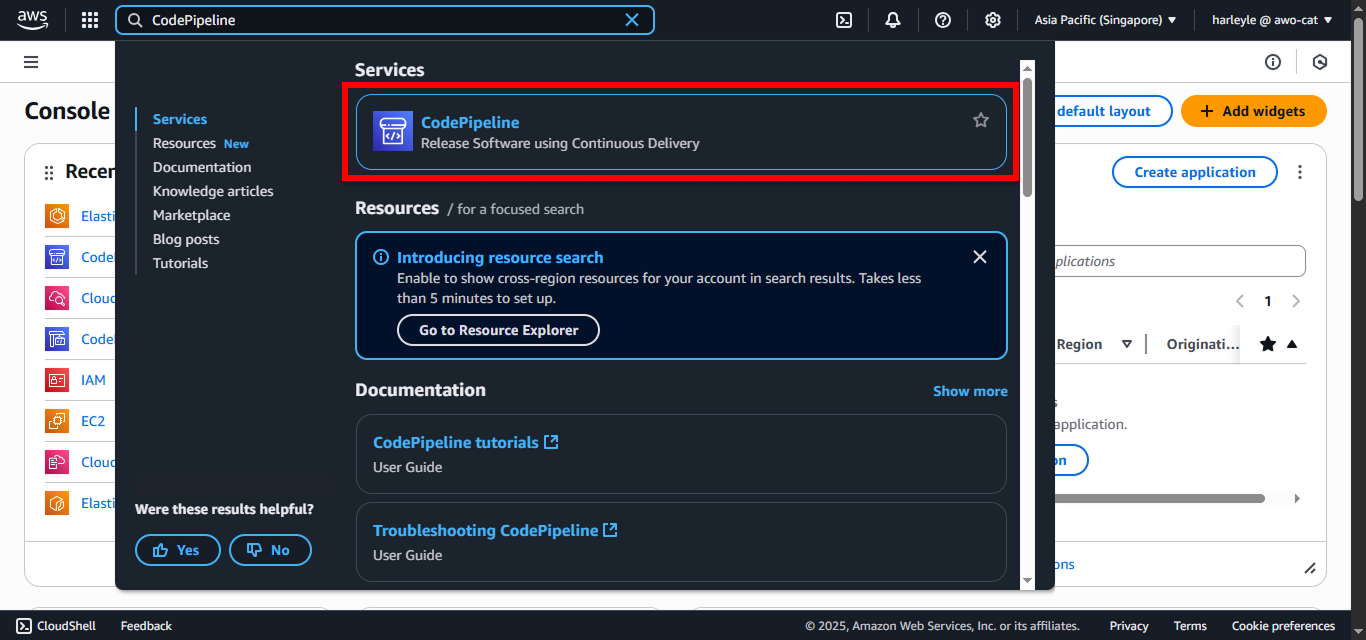
1. Navigate to the AWS Console and search for CodePipeline.
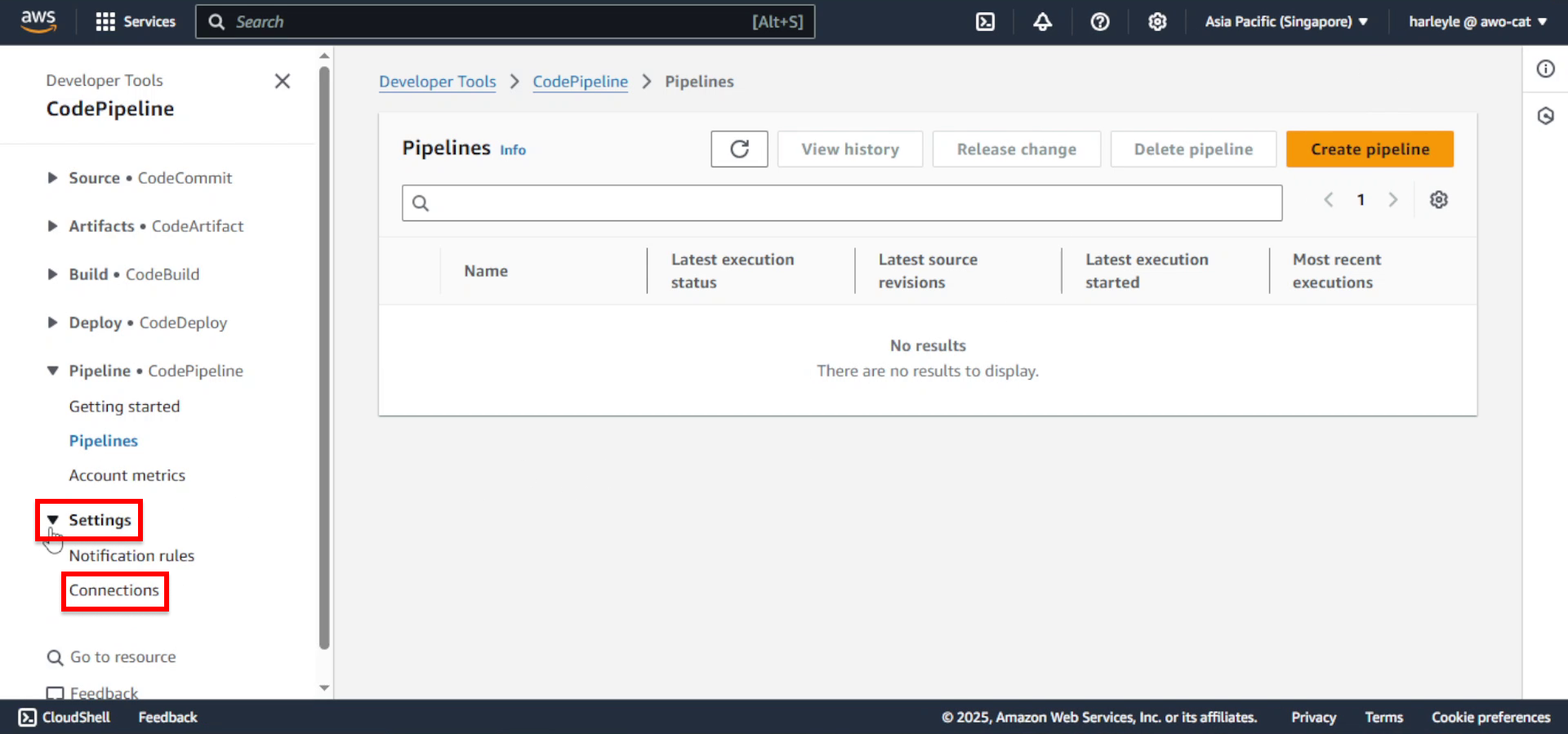
2. In the left navigation pane, expand Settings and click Connections.
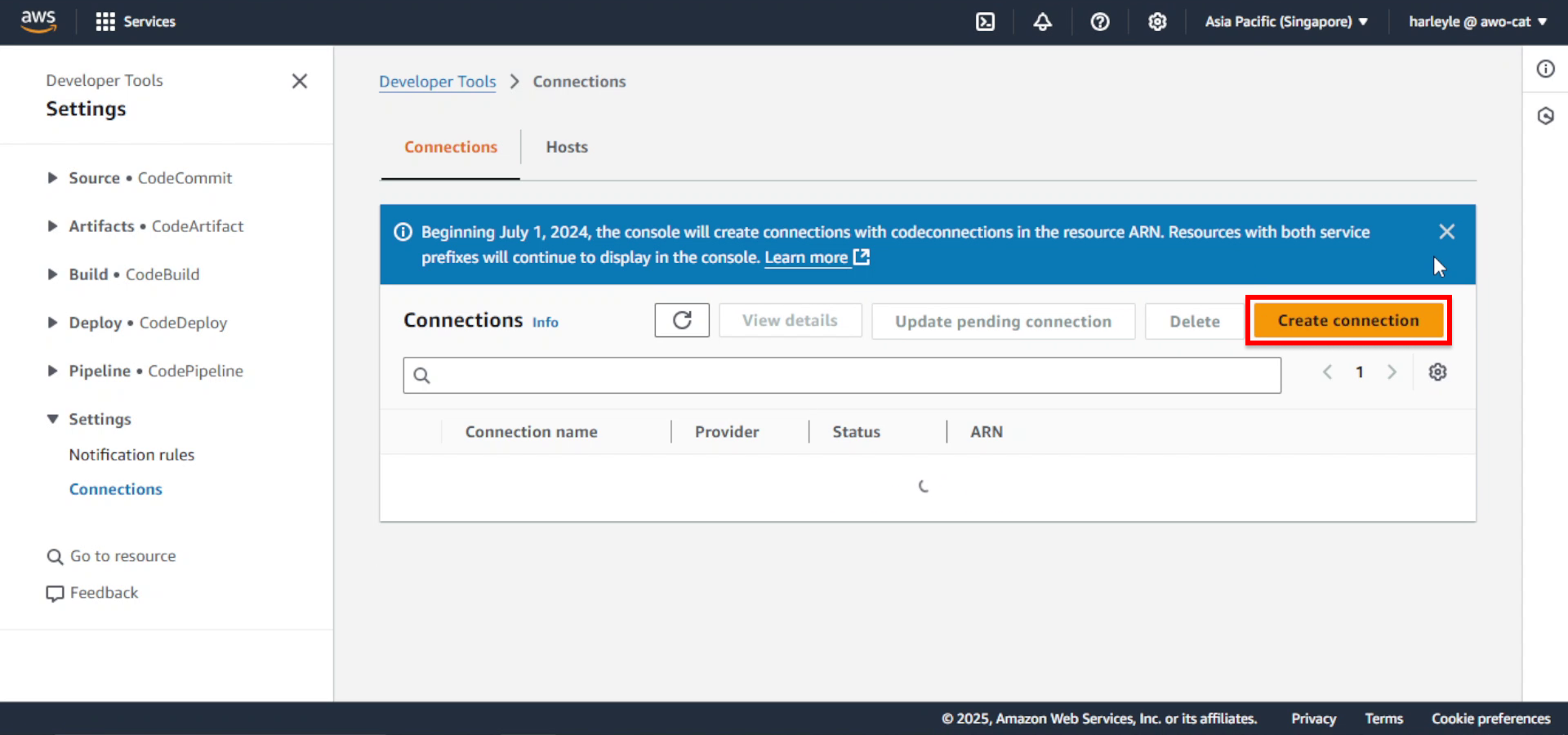
3. Click Create connection.
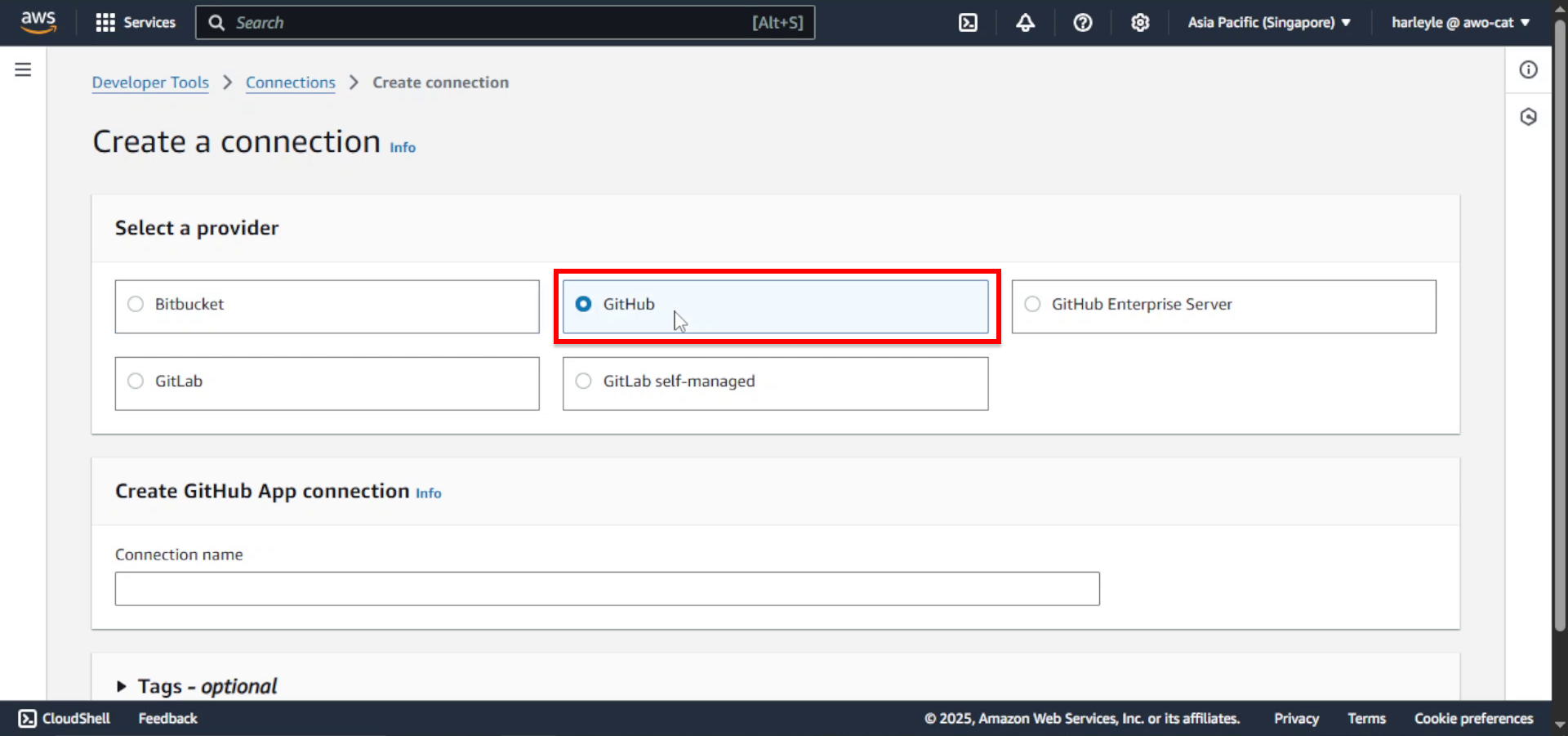
4. Configure the connection provider:
- Provider: Select GitHub
5. Configure the connection details:
- Connection name: Enter
fcj-gh-connection
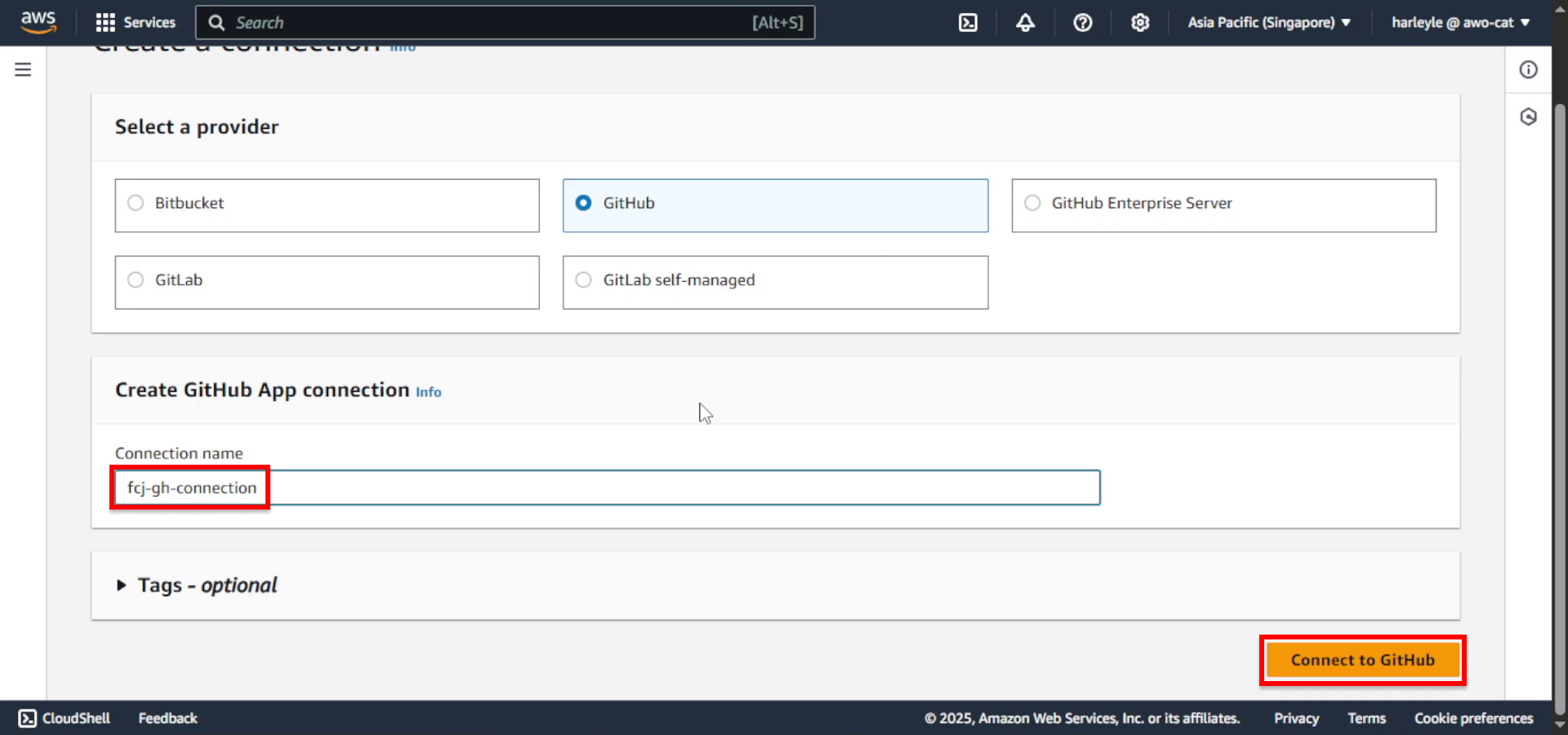
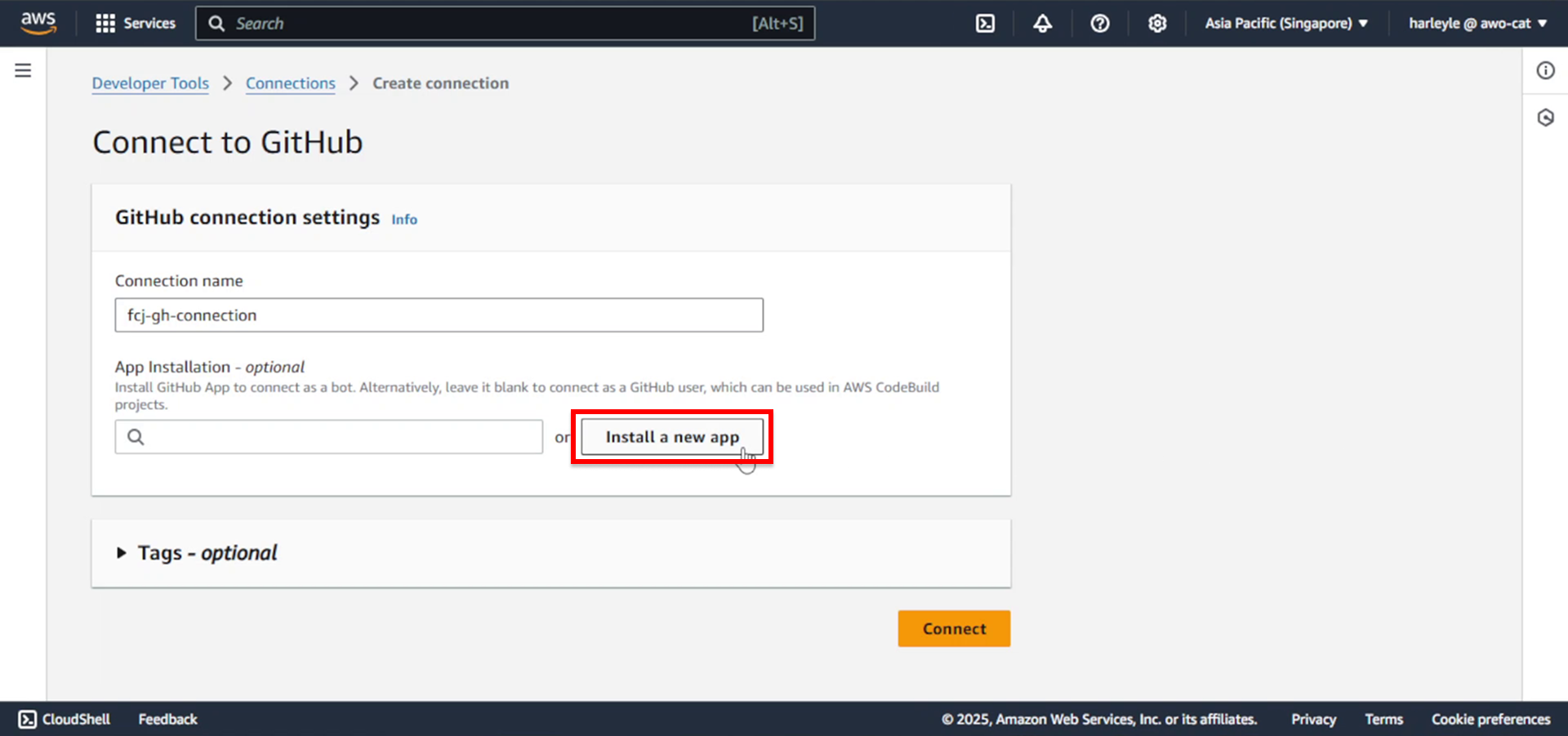
6. Click Install a new app and follow GitHub’s instructions to install the application to your GitHub account.
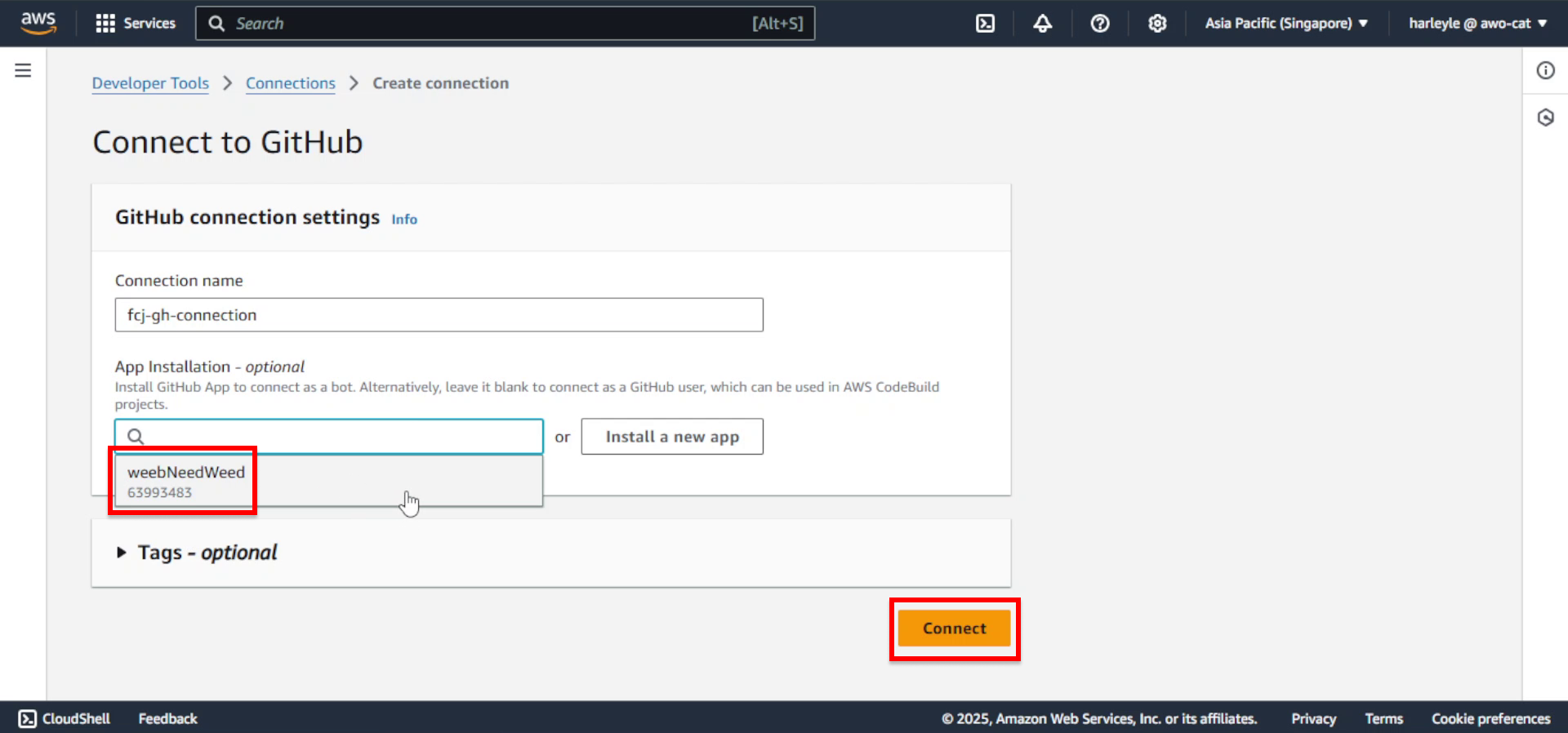
7. After successfully installing, select the installation and click Connect.
8. Verify that the connection status shows as Available.